Show Off Your Home Screens Day!

by: | posted 06.05.13 | News

SONY DSC

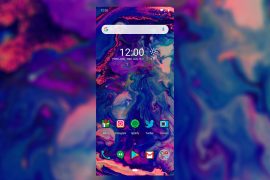
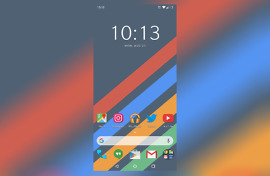
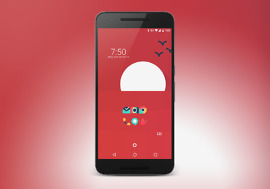
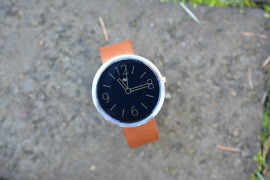
I hope your home screens have been beautified, because it’s time for another “Show Off Your Home Screens!” day. The last time we ran this regular feature was in November, so as the seasons have changed and new icon packs and clock themes have come to light, we’re guessing there are some gems out there that are dying to be shown off. You ready to show off yours? 

Show Off Your Home Screens Day!

by: | posted 11.06.12 | News


We have been receiving lots of requests to host a “Show Off Your Screens Day!” lately. So, let’s do this. Many of you have been upgrading phones, buying tablets then pimping them out, so we know you have some awesome designs you want to share with the community. If you’re more into the stock feel, these posts will also help inspire you and show you everything your Android device is capable of. 

Tip: Google’s Device Art Generator is a Great Way to Show Off Home Screens

by: | posted 08.02.12 | News, Tips

Yesterday, the Android frame generator graduated into official status and is now known as the Device Art Generator. It’s a tool for app developers to use when taking screenshots of their apps and then displaying them in a visually pleasing manner. As of today, you can only display your screenshots in Nexus devices, but we get the feeling that there will be many more on the way. After all, sites like MyColorScreen have figured out how to use almost any device on the planet in theirs, so you can imagine that Google will work in something as well.

For most of us, this tool will only come in handy when we want to display our own screenshots for the world to see on a personal level, rather than through the Play store. But what I’m envisioning, is our next “Show Off Your Home Screens Day!” post, filled with nothing but beautiful Device Art Generator pics.

To run it for yourself, head over to the DAG, and drop a screenshot of yours onto the device of your choice. Afterwards, click on it and then save the image file to your PC. From there, feel free to upload it to your favorite image hosting site, and paste the URL in our comments so that we can see your creations. Knowing that most of you still rock out with a G-Nex, you probably won’t mind the lack of non-Nexus devices.

Tim’s Pro tip:  You can also use this app, which has frames for the Galaxy S3 as an option.

Via:  Google+

Show Off Your Home Screens Day!

by: | posted 07.26.12 | News


Our last “Show Off Your Home Screens Day!” was back in March, which was way too long ago. We can imagine many of you have gone through a dozen different looks since then, so we thought today (with the suggestion of a reader) would be a great day to show off those masterpiece home screens. To add to the fun, we know that many of you picked up a Nexus 7 over the last few weeks and are probably looking for some inspiration on how to set it up. Be sure to drop your home screens from those as well. 

Show Off Your Home Screens Day!

by: | posted 03.27.12 | News

It is spring and that means it is time to show off everyone’s wonderful home screens! It has been a while since we last posted one of these, so put forth your sexiest setup and let the world in on your secrets. We tend to believe that our community is the best in the world here at Droid Life and are always curious to see how your phones are looking. With the Galaxy Nexus and many other HD phones having been out for months now, you should have had plenty of time to get them looking beautiful. Let’s see what you’ve made.

Show Off Your Home Screens Day!

by: | posted 12.27.11 | News


With the holidays quickly coming to an end and with many of you picking up new devices as presents, there are probably plenty of big beautiful home screens out there that are in dire need of makeovers. And also, since the Galaxy Nexus hit and this on-screen button thing is throwing some of us for a loop, we need inspiration from the greatest Android community on the planet. And to get that, it’s time for one of our now-famous “Show Off Your Home Screens!” posts. It has been a while since we put together one of these, so let’s see what kinds of masterpieces you have created over the last couple of months.  

Show Off Your Home Screens Day!

by: | posted 09.15.11 | News, Polls


It has been a few months since we last asked to see the masterpieces that you have created on your Android phone’s home screen.  Being a Thursday in between device releases, we thought this was the perfect time to see what you have cooked up.  The ADW icon packs, GO Launcher themes, and ROM skin options seem to be growing by the day, so please “Wow!” us.  We are always on the hunt for home screen inspiration – no better place to get it than from all of you.

Instructions:  When you drop your comment, feel free to give us some detail on what you went through to get to your current setup.  Launcher, icon pack, theme, apps, widgets, etc.  And to post up a picture, all you need to do is upload to somewhere like PhotoBucket or Flickr and then paste the image URL.  Our comment system will then turn it into an image preview for all to see.

My setup (left screenie):  GO Launcher EX, Clee 2 theme, Clockr Evolution, Whiteout wallpaper pack, hidden CircleLauncher.

Tato setup (right screenie):  LauncherPro Plus, LightGrid live wallpaper, Clockr, RaidZero Purple NRG theme.

Seven+ Releases Notification Bar Changer, No Root Required

by: | posted 09.12.11 | Apps, News


The Seven+ crew that has worked countless hours to try and port some of the minimalistic Windows Phone 7 apps over to Android.  We have seen the calculator along with a UI changer in the past, but today’s release might be the most influential yet.  StatusBar+ allows you to change the style and color of your device’s notification bar without having root access, something that to our knowledge, has never been done before.  You can set it to start on boot up and even change the colors of notifications and the background.

*Noteon my Galaxy SII and Bionic, I was able to set the StatusBar+ as my notification bar, but only the clock will show.  I’ve reached out to the dev to see why notifications and signal icons will not show on these two devices, but I suggest you check out the free version to see if it will work correctly on yours before buying.

*Note 2 – and I’m an idiot.  Just tap on the notification bar and will display all of your icons.  Fantastic app.

*Note 3 – the signal strength appears to be broken.  There is no way I have full 4G coverage here.  A bug that will likely be worked out.

Oh, and they have opened sourced the project, so I’m sure we will have some snazzy alternatives with similar functionality in the near future.

Market Links:  Free | Paid

More info can be found at this blog post.

Via:  UltraLinx