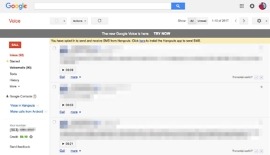
How to Setup Google Voice in Jelly Bean

by: | posted 07.03.12 | News, Tips


This may be embarrassing, but I have to admit that when I first set up Google Voice on my Galaxy Nexus running Jelly Bean, that I was confused once I hit the Voicemail part. To hopefully help some of you skip the pain, I thought I would toss out this quick tip. It’s not unbelievably difficult by any means, but there is an extra step that you will want to make sure you complete. So here we go! 

Uppidy Saves Your Text Messages to the Cloud for Safe Keeping

by: | posted 03.20.12 | Apps, News, Videos

YouTube Preview Image

Folks who are not taking advantage of Google Voice’s feature of saving messages to the cloud, may want to take a look at Uppidy. If you want to make sure you never lose an important text message or special picture you have received ever again, then check out the short video. The service automatically saves all of your messages to the cloud, then makes them available from any device, including your PC, from anywhere you are. It sounds perfect for the people who are constantly flashing new ROMs or getting new phones.

Sign up here.

Cheers Curtis!

Google Voice Updated – Better Text Notifications, Multiple Message Recipients

by: | posted 11.15.11 | Apps, News

If you love Google Voice as much as Kellex does, you should head on over to the Market and grab the newest version that just went live.  The update allows you to prefetch voicemails so they can be listened to offline, send multiple recipients the same text message, and receive better text message notifications. Was hoping for some MMS support, but I guess we will be waiting a tad-bit longer for that luxury.

What’s in this version:

  1. Prefetch voicemails so they can be listened to even when there is no data coverage
  2. Allow sending text messages to multiple recipients
  3. Improved text message notification

Market Link

Cheers Siang!

Google Voice Team Makes MMS Support Official: Working with Multiple Carriers, Hoping to Have Inbox Support Soon

by: | posted 10.14.11 | Apps, News

Official. The Google Voice team just acknowledged the rumors from this morning that they have found a work-around for MMS (multimedia messaging service) messages. If you are a G-Voice user, you will need to cruise into Settings and choose the option under “Voicemail & Text” to “Forward text messages to my email:” to get this to work. That will allow your friends to send you MMS messages (pictures, video, etc.) and have them arrive in the email account that you have chosen to receive forwarded texts to. The plan is to have this become a part of your Google Voice inbox, but this will have to do for now.

This new feature is currently only available to Sprint customers. They are working with other mobile operators to bring it to everyone though, but that could take some time.

Via:  Google Voice Blog

Google Voice MMS Support Slowly Rolling Out? (Updated)

by: | posted 10.14.11 | Apps, News

Update:  The Google Voice team has announced this feature. Full write-up here.

Die-hard users of Google Voice have long yearned for some MMS support. Things may be looking bright on the horizon as Google Voice is now starting to send notifications of incoming MMS messages through your email inbox. You won’t be receiving the message itself, but if you forwarding your texts to your email account, then you’ll receive an email notification of the message. That’s a step in the right direction.

Unfortunately this newest development only seems to be working on non-Verizon carriers at the moment, but we are hoping it makes its way to Big Red shortly. Kellex is the biggest user of G-Voice I know, so as soon as this feature hits Verizon, trust me when I say Droid Life readers will know first.

Via: Life Hacker

Google Voice for Honeycomb is in the Works

by: | posted 03.07.11 | Apps, News

We talked about how the lack of Google Voice support for Honeycomb has been a little frustrating in this post, but we assumed that Google was working on it and would one day bring joy and happiness to our tablet experience.  Sure enough, it’s now looking like that time could be sooner than expected, according to Zeke over at the Google Support forums.

Hi everyone,

Glad to hear from so many Xoom early adopters! As you’ve noticed, Google Voice isn’t available for Honeycomb yet. We’re working on it, and I’ll update this thread as more info is available.

Thanks,
-Zeke

Hopefully “we’re working on it” means tomorrow.  OK, that’s a little greedy.  Wednesday then?  I kid, I kid.

Via:  Google Support

Cheers to everyone who sent this!