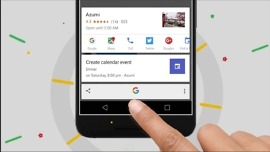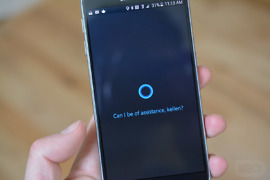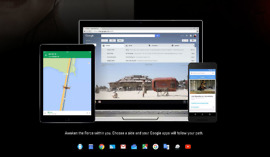
When you think of missing features for Google Now that you wish to see included in the future, was widget one of them? Your prayers may be answered shortly, as a widget was spotted through a Google support page (has since been pulled). Little other details were given or are known, however, the idea isn’t a difficult one to understand. Google Now is great at giving you information before you realize you need it, but it can usually only be accessed through a swipe up from a home button or long-press on one of the many navigation button configurations that Android phones utilize.
Google Now Widget Outed Early on Support Page?
Google Now Officially Supports Favorite College Basketball Teams
A couple of weeks ago, a handful of readers noticed that Google Now was starting to display scores for their favorite college basketball teams. While awesome, without an announcement from Google or the ability to manual add teams as you did in other sports, it seemed like something half-baked or that Google had not yet finished implementing. As of today, it appears to be fully added to Google Now.
Google Now-Like Notifications Spotted in Chromium, Could Be Headed to Chrome in the Future?
Just recently, Chromium, which is an open source developer-friendly web browser from Google, was updated for Windows. Inside the update is a brand new notification center that brings Google Now-like cards and results right to your desktop. Above is a snapshot of what the notifications look like and behind that is apparently code for users to even create their own cards.
Google Now Starts Displaying College Sports Scores on Tablets (Phones too?)
Oooh, this is news we like to see, especially as sports fans. According to a reader of ours on G+ and our own Nexus 7, Google Now is apparently showing college sports scores for some users, a feature we have been begging for since the beginning. What’s odd, is that it appears to only be working on the Nexus 7 (or tablets) at this time and not phones. You also can’t go into the settings for the Sports card and add college teams at this time.
Download Those Awesome Google Now City Headers in High Resolution
One of my favorite parts of Google Now are the headers that not only change depending on where you are in the world, but also according to what time of the day it is. If you’re like me and wanted to see more of these headers that are confined to the small phone or tablet screen space, today is your lucky day. XDA user jathak has pulled them for your viewing pleasure.
Multiple cities are included in the downloads; London, New York, Berlin, Austin and San Francisco. In addition to having a few other ones as well, each header has a different download for the time of day (dawn, day, dusk and night). Hit the source link below for the download links, and be sure to show some love for this awesome find.
Via: XDA
Improving Google Now [Opinion]
Google Now is great at putting certain pieces of information in front of you before you realize you need it. A traffic report for your drive home is there just before you leave work. You’re notified about a package’s location after you’re emailed about it. Recent searches appear to remind you about your bad decision to try and understand what happened in the Clone Saga.
Google wants to continue to empower our cell phones and turn them into truly useful person assistants. I believe Google Now is the best way to do that, but I also believe Google Now needs to get a lot better. In particular, Now needs improve its use of contextual information, have more of a personality, and display information better.
SF Launcher Alpha for Android, Takes Notes From Google Now Aesthetics
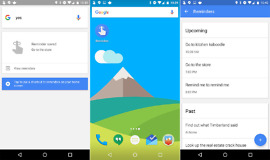
Custom launchers are a big part of Android and SF Launcher alpha looks to fit right in with Google Now-like looks. The middle image above is your “homescreen.” By swiping left you enter the settings menu and by swiping right you gain entry to the app drawer. On top of the homescreen, there are different city options (much like Google Now), with San Francisco, London, or the generic mountain range look.
Below the time, there is a “card” for widgets. By swiping either left or right on the widgets you can add or remove additional widgets, which is a neat way of doing things. Below the widgets you have your “favorite” apps. You select your favorites from your app drawer and they are permanently pinned to the homescreen for easy access.
Google Now Boarding Pass Card Goes Live, Is There Anything It Can’t Do?
Starting today, Google has flipped the switch on boarding passes through Google Now. When arriving at the airport and given your flight info is in your linked Gmail account, Google Now will prepare your digital boarding pass for easy access once you check-in online, making airports all the less stressful as long as your battery isn’t about to bite the dust.