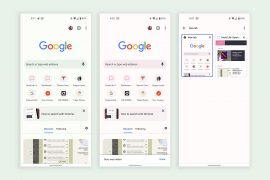
Today, Google’s Chrome Beta for Android received a most impressive update through the Play store. Included is the addition of Google Translate, allowing users to instantly translate full webpages to their native tongue, as well as options for controlling and limiting bandwidth consumption through the browser’s settings.
Chrome Beta for Android Updated, Brings Google Translate and Bandwidth Management Settings
Chrome Beta Update Introduces Fullscreen Browsing, Simpler Searches
Chrome beta for Android received an update today that introduced two minor features that actually change the user experience in a semi-major way. For one, as you scroll down web pages, the toolbar will disappear so that you get a fullscreen view. All you need to do is swipe back up ever-so-slightly and it will then reappear, so that you can type in a new search query, change tabs, etc. Second, the omnibox (search box) now holds onto your search queries after you press “enter.” So when search results appear, you can quickly edit or add-on to search queries much easier. Previously, your search queries would show up in the Google Search box of the actual Google website – now they stay in the omnibox.
The rest of the new features and known issues are below.
New Chrome Beta for Android Brings Saved Passwords and Autofill to Mobile
In the newest build of Chrome Beta for Android that was released this afternoon, we finally get password and autofill syncing on mobile. Both are features that have been carried across desktops for some time, but continued to be highly requested for smartphones and tablets, as they eliminate tedious form filling and a need to use your memory. Today is a great day, especially for those of us that have grown tired of re-typing things on mobile that have become automatic on desktops.
We should point out that in order to test out syncing passwords, you’ll need to run the latest Chrome Beta for desktops as well. The feature will roll out in the coming days, so don’t get frustrated if you aren’t seeing it right away.
Via: Google Chrome Blog
Chrome Beta for Android Adds Support for Experimental Features

If tinkering in Chrome is something that warms your pants, then be sure to install the latest version of Chrome Beta for Android, as it added support for “chrome://flags” and its experimental features. In this section, you’ll see a number of items listed, some of which work in Android, others that are desktop specific. Things like disabling deferred 2D canvas, adding an FPS counter, and WebGL are some of your choices.
To access this new section, simply type in “chrome://flags” in the address bar of Chrome Beta.
Via: Chrome Releases
Chrome Beta Updated to Build 25.0.1364.37 – Here is the Changelog
Chrome Beta on Android received its third update in under a week, today. As usual, it contains a list of fixes and another list of bugs. We aren’t seeing any new features, so be sure to update to at least get on a more stable build.
Chrome Beta Receives First Update – Fixes and Introduces a Number of Bugs

After hitting the Google Play store last week with a laundry list of bugs, we were eagerly anticipating the first update to Chrome Beta on Android. That update is now live and certainly fixes a bunch of bugs. As with any beta, though, it introduces another list of issues.
Jump through to see the entire list of fixes and new issues. Hit up the direct play link to install the beta.
Google Introduces New Chrome Beta Program to Help With Issues and to Test New Features
Google Chrome came out of “beta” back in June, as it had become a stable enough product. But since Google is continuing to create new features for it, they still need a platform to be able to test, similarly to what they do with Chrome for desktops. So today, they introduced Chrome Beta, again, as a way to get new features in your hands and to fix issues much faster.
In the release notes, they mention that this build brings a “slew of updates and improvements” over the stable channel build that you are already running, however, they didn’t provide any specifics. They did go ahead and tell you what’s broken, though, more than likely to keep down the complaints.