Tag: RCS

  • Google Messages Will Support Message Deletion for RCS Users

    Google Messages Will Support Message Deletion for RCS Users

    It was in July of last year when GSMA laid the foundation of Universal Profile 2.7 for RCS (Rich Communication Services). Within that foundation was a few new features, including the ability to delete already sent messages. Google is now confirmed to be working on deploying this for users.

    Discovered in code of the latest beta build of Messages, code strings for “Delete for me” and “Delete for everyone” are shown, implying that a user can soon delete a message that’s already been sent out. This will be prime for those drunk texts.

    Naturally, it specifically states that all users will need to be running the latest version of Messages for this to work properly, would could end up being an issue as some people seem to never update their applications. And of course, Google won’t let you delete something without letting everyone know. All parties in the chat will be able to see either “Message deleted by its author” or “Sender attempted to delete a message.”

    It’s unknown when exactly Google will roll this feature out, but clearly it’s being worked on and that’s a good sign.

    // 9to5Google
  • RCS Encryption Between Android and iPhones is Hopefully Next

    RCS Encryption Between Android and iPhones is Hopefully Next

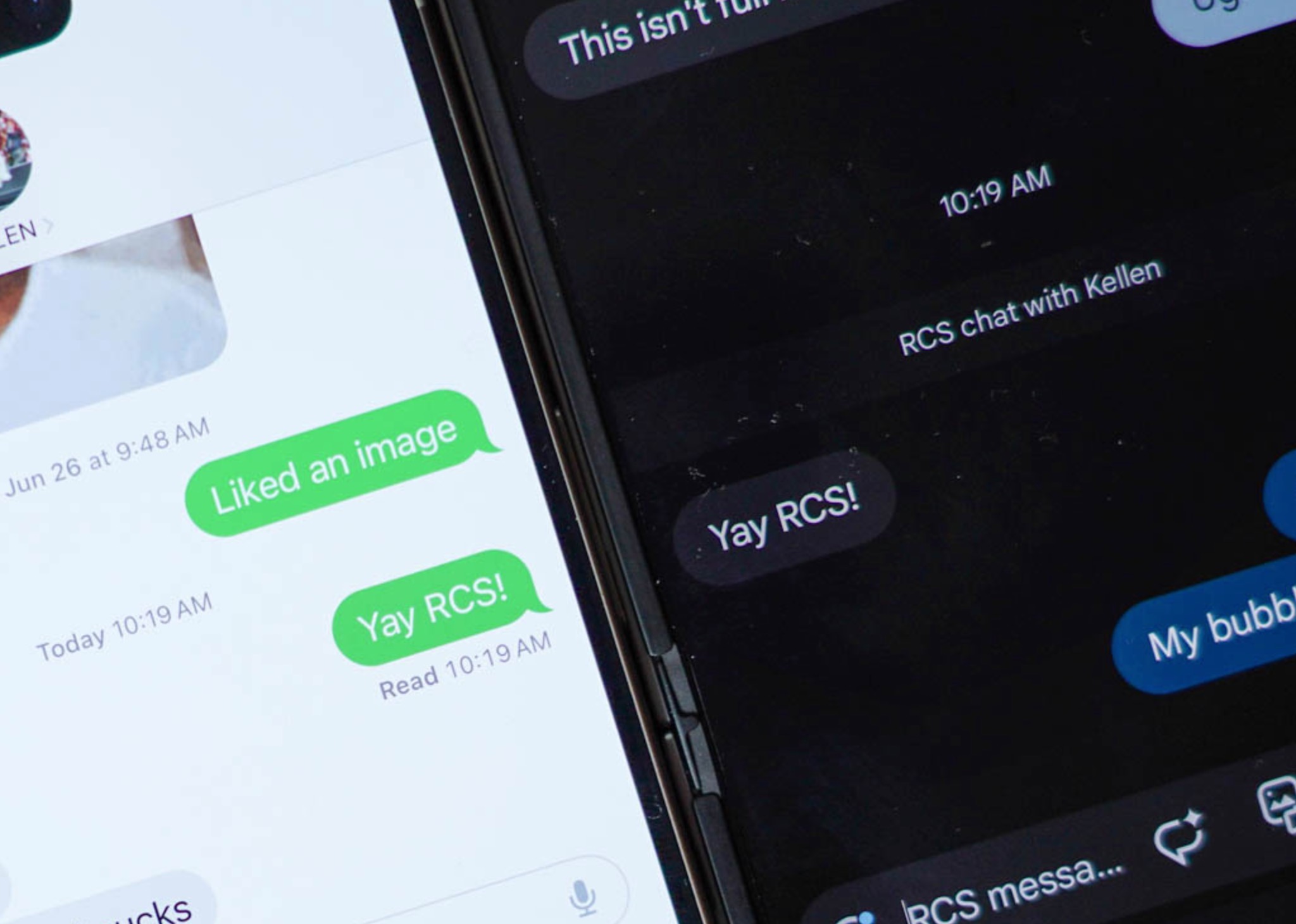
    The big news of the week for Android users who want to send messages to their friends with iPhones involves the big update to iOS 18 that was just released by Apple. With this update, iPhone owners can send RCS messages over to Android users, meaning big updates to the messaging experience between the two.

    Things like typing indicators, read receipts, improvements to group messaging, and high-quality media sharing are all a part of this upgrade between the two platforms. Yes, green bubbles are still there, but overall, the upgrade to RCS by Apple should be welcomed and is a big deal.

    There is one thing missing, though, and that is encryption. Google has offered end-to-end encryption of RCS messages within their Google Messages app since 2020 and took the step to make it on by default just last year. However, between an Android device and an iPhone, there currently is no encryption. The industry is at least telling us that they are working on it.

    This week, the GSMA, which is behind the RCS Universal Profile (aka the industry standard of RCS messaging), said that they see the “next major milestone” for RCS as adding end-to-end encryption. They are working to deploy standardized, interoperable messaging encryption between different platforms, like Android and iOS.

    Unfortunately, there is no timeline for encryption to arrive, this is simply an acknowledgement by the governing body that it is an important next item to introduce. Knowing how this industry moves and how long it took for RCS to become a thing, I’m not exactly optimistic in encryption arriving any time soon.

  • iOS 18 Now Live, So That Means RCS

    iOS 18 Now Live, So That Means RCS

    iOS 18 is now available for all supported Apple devices, which is great news for Android users. If you haven’t been following, iOS 18 supports RCS (rich communication services), which is what Android users have been using for quite a while on supported apps (like Google Messages). With this new RCS support, messaging between Android and iOS users should be waaay improved.

    Once our iOS friends enable RCS via their settings menu, we should have things like high-res media sharing, file attachments, sending and receiving voice notes, as well as better GIF support. Both Kellen and I have been beta testing this since June on our devices and it seems to be working much better than it used to be.

    While Android users will still appear as the dreaded Green Bubbles, the fact that Apple and Google have worked to make this happen is a positive.

    Again, if you’re using an iOS device running iOS 18, make sure to enable RCS.

    // Apple

  • Google Gets Excited About RCS Coming to the iPhone

    Google Gets Excited About RCS Coming to the iPhone

    Apple really has committed to bringing RCS support to its Messages app when iOS 18 releases later this year. For beta testers of iOS, you can already send RCS messages to your Android friends. It’s a big deal, for the most part, because it should improve the messaging experience between the two biggest mobile platforms.

    To continue to celebrate the moment, Google has released a new video called “RCS and the future of cross-platform texting.” It’s a short 30-second clip that highlights what Android and iPhone users can expect once iOS 18 lands everywhere.

    The video starts off by confirming that RCS “is finally coming to iPhones,” which is fun. But most importantly, Google is confirming that there will be “No more blur between Android and iPhones,” because you can send higher-res video and photos. They also say that there will be “No more broken group chats,” that read receipts and typing indicators are here, and that everyone will simply have “better messaging.”

    Tim and I have actually tested RCS between an iPhone and Android device and the experience is fine. I can’t say that it seems that much different than before, but we’ll do our best to really dive in as it evolves before iOS 18 launches. If anything, we can confirm that you can send and receive better quality images and see read receipts. That’s neat.

    When is iOS 18 releasing? Probably in late September when the iPhone 16 series is ready.

  • To Speed Up RCS Adoption, Samsung Makes Google Messages New Default

    To Speed Up RCS Adoption, Samsung Makes Google Messages New Default

    This year, Galaxy Z Fold 6 and Galaxy Z Flip 6 buyers will notice that Samsung’s usually preloaded Messages app is no longer present, and instead, users will simply have the default of Google Messages. Samsung has long loved having its own branded solutions and services, but to help the Android ecosystem as a whole, it’s making the change.

    Specifically, Samsung wants to help speed up the adoption of RCS, thereby delivering a more “robust and engaging” messaging experience for all users. You can read Samsung’s statement on the move below.

    Samsung and Google have been closely working together on many communication service areas and this collaborative effort to make Google Messages the default common messaging platform for the Android mobile ecosystem will accelerate the adoption of Rich Communication Services (RCS) and deliver a more robust and engaging mobile messaging experience to Galaxy users.

    This shift to Google Messages adoption has been long coming. Back in 2022, Samsung made Google Messages the default messaging app on the Galaxy S22 line, as well as in 2021 with the S21 series outside of the US. Even though Samsung Messages has supported RCS, Samsung must see this as a cleaner path to a overall better experience for Galaxy users.

    For anyone who loves Samsung Messages, don’t worry, as you can still download it and use it however you like.

    // Android Authority

  • Google Messages Might Soon Stop Compressing Your Images so Much

    Google Messages Might Soon Stop Compressing Your Images so Much

    Code changes spotted inside of Google Messages point to increased photo quality sharing abilities, and given how much guff Google was giving Apple about supporting RCS, we think it’s about time this change was taking effect.

    Right now, Apple supports iOS 18 beta users to send high quality images with RCS. The same can’t be said for Android users using Google Messages. When sending from Android, photos are compressed considerably, but with new compression and resizing options spotted via code, things should be getting better.

    Specifically, the newly found code states that image size should be supported up to 8,192 pixels tall and wide, while previous testing had Messages scaling images down to a max vertical resolution of 1,600 pixels when the “Send images faster” setting was toggled. When disabled, Messages would still scale images to a max of 2,400 pixels.

    Long story short, it’s looking like Google will want to have this new RCS magic ready for iOS 18’s public launch later this year. Once done, Android and iOS users will be sharing high quality images back and forth, making everything right in the world.

    // Android Authority

  • RCS Gets Standardized Message Edits, Reactions, More

    RCS Gets Standardized Message Edits, Reactions, More

    The Universal Profile 2.7 was released at the end of last month and discovered by the folks at reddit who follow all the happenings with RCS (Rich Communication Service). This update to 2.7 brings a bunch of standardizations to RCS messaging, which is meaningful in a space that Apple is about to officially join and that seems to be more prevalent in messaging circles on Android.

    Again, the Universal Profile reddit crew found the new 2.7 update and shared important bits yesterday. They pulled a big chunk from the “New features and procedures” section that essentially clears up all that is new.

    But before we get there, here’s an important paragraph from the GSMA that broadly explains the point of this 2.7 release:

    Compared to their previous version(s) they bring support for more engaging messaging experiences such as reactions to messages and the user editing a message that they sent earlier and for better handing of messages considered as spam. Next to that they advance the business messaging experience through the support of a chatbot gallery and better indications of what types of responses a business messaging sender supports and improve the overall security of the RCS channel.

    The first portion there is the most important, as it describes a more engaging experience throughout RCS messaging. That appears to mean standards for reactions to messages, the ability to edit, recall, and delete a message, and improved spam reporting, no matter the messaging client. There’s also some stuff about chatbots, but that’s mostly related to business messaging, a thing we try to avoid at all costs. No one wants that spam in their message inbox.

    Below, we’ve pulled the bullets on the new messaging stuff (full document):

    • Messaging
      • Extended Messaging: enabling Replies and Reactions (including Custom Reactions) to sent and received messages and, for the message sender, to Edit, Recall and Delete message that they sent earlier for themselves and the message recipient (section 3.2.8)
      • Extend Spam Reporting to person to person messaging (section 3.2.9.1)
      • Indication of messages considered suspicious from the Terminating Network to the RCS client (section 3.2.9.2)
    • Chatbots
      • Indication whether a Chatbot accepts user-generated content (section 3.6.4.1.6)
      • Chatbot Gallery (section 3.6.1 and A.1.3)

    Improvements to RCS, you love to seem ’em. Well, assuming everyone who needs to adopt the Universal Profile 2.7 does so in a speedy manner.

  • Good Day: RCS Enabled, Now Working on iOS 18

    Good Day: RCS Enabled, Now Working on iOS 18

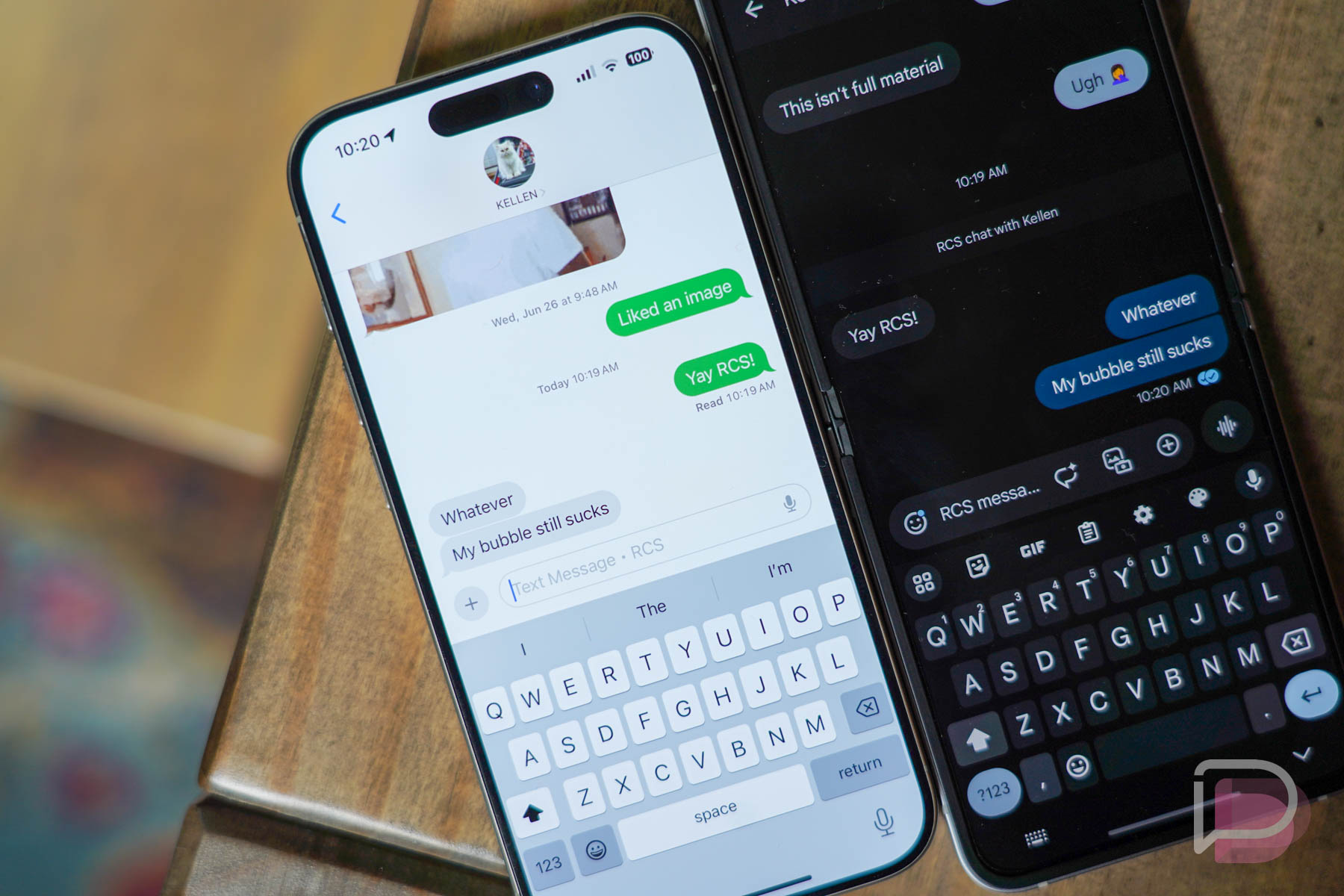
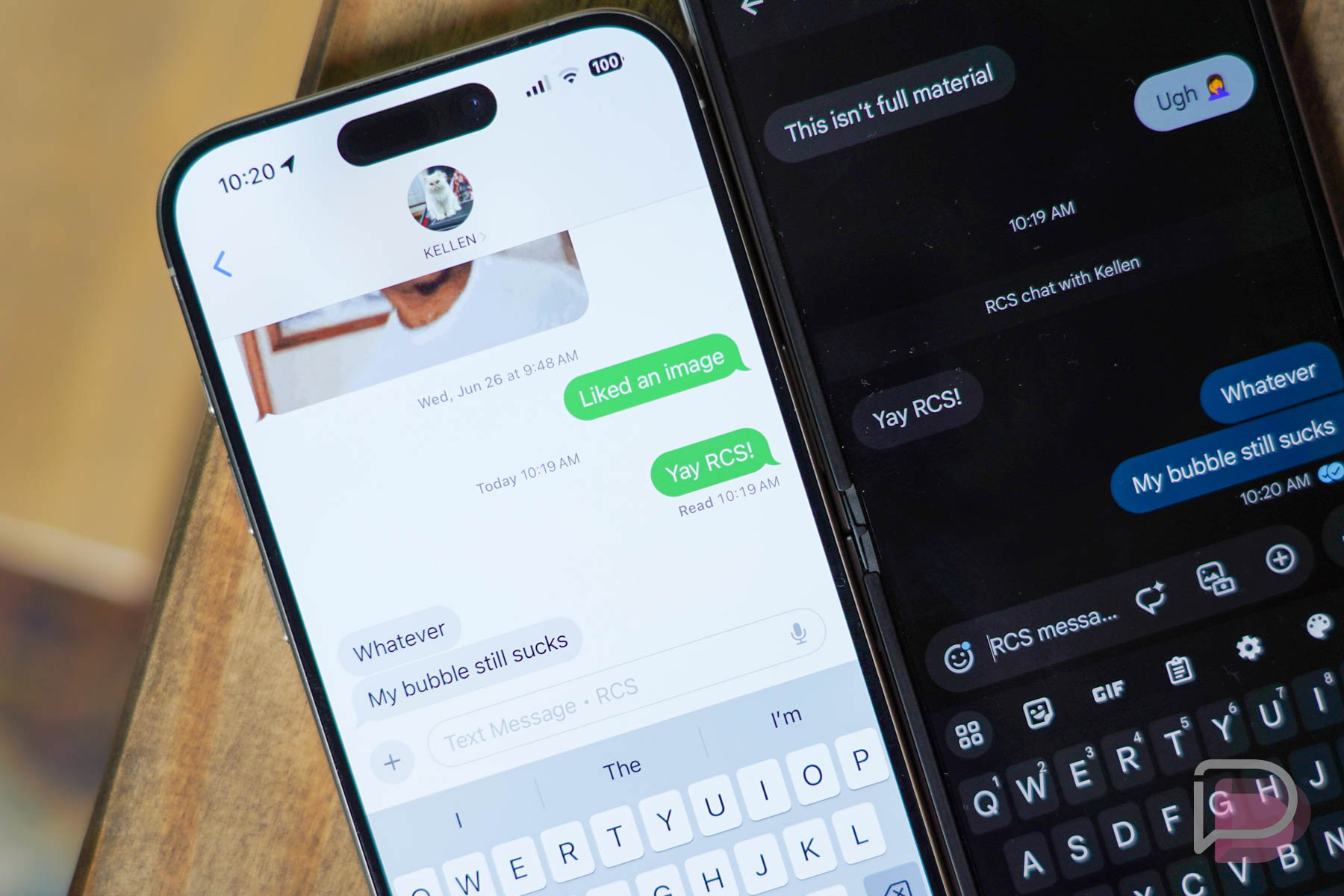
    Android owners with iPhone friends who are running the iOS 18 beta, you’ll want to hear this news: RCS has been enabled and appears to be working between iOS and Android devices. We’ve been doing a bit of testing with it this morning, and while there still seems to be improvements to be made, the overall messaging experience between platforms seems better.

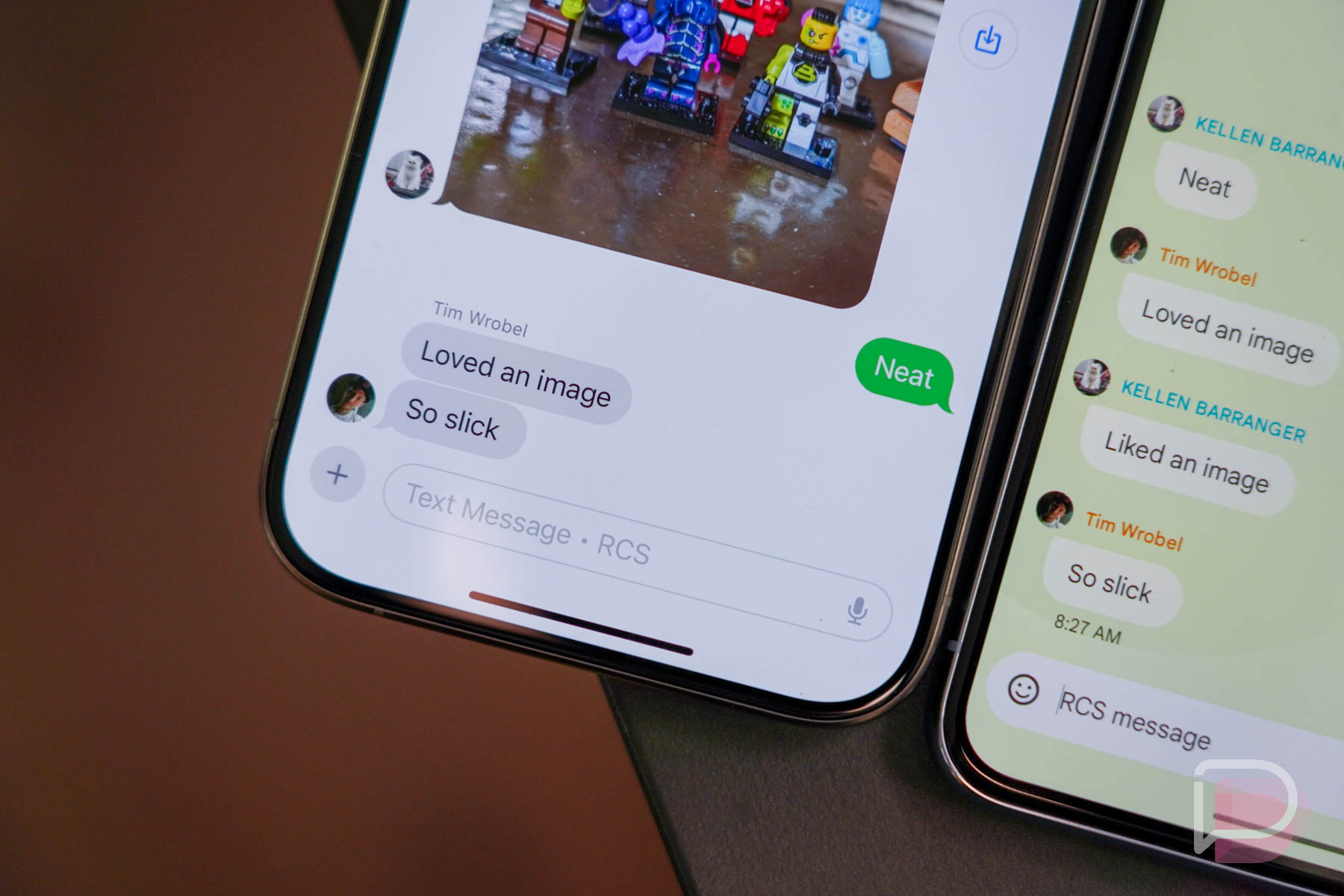
    The highlights of this implementation is high-res media sharing, file attachments, sending and receiving voice notes, as well as what seems to be better GIF support. One thing we’re not seeing improvement on are message reactions, which still show a separate message such as, “Loved an image,” or “Haha’d an image.”

    Under the Messages app settings on iOS 18 you’ll want to ensure RCS is enabled, but even after doing so, you can expect things to maybe be a bit janky at first. For example, reactions to audio notes appear busted, plus the audio clips themselves aren’t embedded into the chat and instead appear as file attachments on iOS. There’s certainly work to be done.

    If you and an iPhone user want to get to testing and playing with RCS, start up a chat and let us know what you think.