More Reading

Post navigation

54 Comments

  • I HATE IT!! I’m so unhappy with the update ice cream sanwich on my droid razr! I’m having conflicts with the draw something application, my photo’s aren’t uploading to my photobucket album, and the sound controls are screwy and not working right! I get error update messages all day, over and over. This phone is only a few months old. Can I uninstall the update? I will hate to have to go to the verizon store AGAIN so soon :/

  • Only works on about half the crapware. It sucks that I have to root and rom reload my phone to get it to work as a phone without the junk.

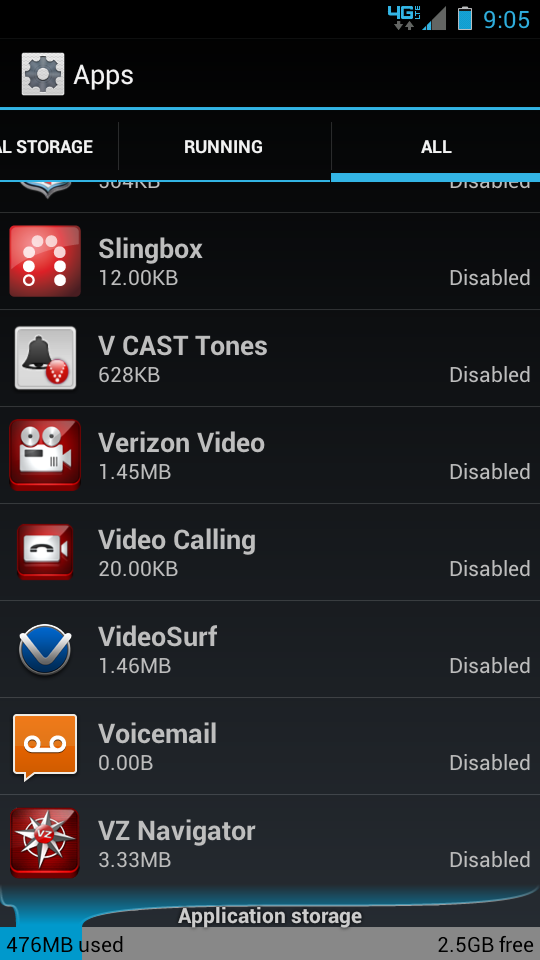
  • Is there a list of all the bloatware programs and services that we can take off or disable that will not materially impact other programs? I would like to run down the list and put them out of my misery. I’ve gone in to see what is running and it is shocking. I didn’t turn 90% of them on.

  • I don’t understand the big deal. If you don’t want to run them, don’t run them. They take up minimal space. They don’t take up battery life if you don’t run them. It’s pretty much a no-brainer. Also, you consider VZ Navigator bloatware? It blows everything else I’ve tried out of the water. Great app.

  • Personally, I don’t consider most of the preinstalled apps “Bloatware” unless they run in the background consuming resources. These preinstalled apps are just sitting in the system partition using otherwise unused/wasted space, so unless they are running and consuming resources (which is bad), what is the big deal. I rarely even notice them mixed in with my other 600+ installed apps.

  • Would have been much nicer if you would have delayed this article until AFTER ICS had been … deployed? Really?!

  • Im really excited for this. Can finally kill all the apps running in the background that use battery and RAM.

  • You can always tell great software from awful software: Awful apps are the ones we have to be FORCED to run and can never install, even if we wanted to.

    I wonder what would happen if Verizon made the software SO much better than the competition that people would WANT to run it. No forcing needed.

    Oh, they didn’t think about that.

  • It’s only a matter of time. “If we install 25-35 pieces of bloatware… will it forbid them to be disabled.”

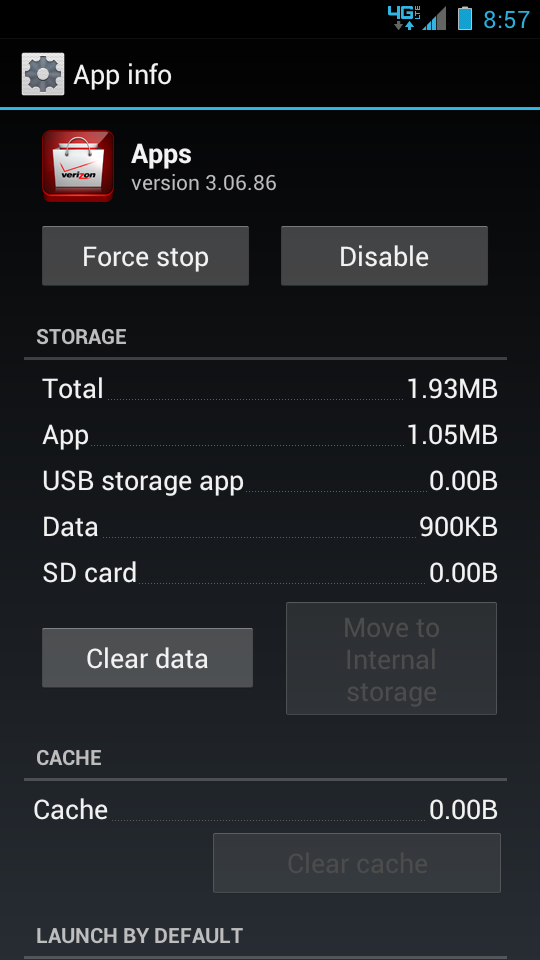
    • App drawer yes, but you can still find it under manage your apps in the settings menu. At the very bottom of the list. That way you can re-enable the app if you changed your mind.

  • Is there anyway to move apps to the external SD card a opposed to the internal SD card on the razr?

  • This does not work for the Backup Assistant + apps. This is not good considering there are 5 apps in there.

    • Does not seem to work for the “My Motocast” app either. The “disable” button is greyed out of (ironic). For some reason this one offends me the most.

  • Is no body else concerned with how unacceptable it is that they put 25 BLOATWARE apps on your phone? With the ability to disable (which I assume a majority of average users don’t know how to do), it’s not too bad, but what if Google hadn’t developed that feature, or Verizon somehow took that out (which they were rumored to be doing at one point)? 25 apps is completely rediculous.

  • So one would assume when ICS finally comes out for the rezound I will have the same options

    • It works fine on my Rezound. Have almost every Verizon app Froze, plus apps like Blockbuster and the likes.

  • The only options I’m seeing are “Move to internal storage” (greyed-out if not possible) and “Uninstall updates”. No “Disable” option..

    • uninstall updates, then you will see the Disable option. It’s #5 under the instructions above.

      • Do step #5 *BEFORE* you do step #4. Not sure why no one at droid-life can correctly number things. Why specifically number something “step #5” only to mark it “oh, do this before step #4”. Ugh.

    • Reading between the lines in the article, it appears as though it’s possible you probably might not see this option until you’ve installed the ICS update.

    • …You try them out and decide if you want to keep them. If you don’t like it, consider it bloatware.

    • None of the Verizon apps are helpful or essential. unless you like helping fill Verizon’s coffers. Disable all of them.

      (possible exception: the My Verizon app, especially if you have a limited data plan)

Comments are closed.

back to top