

The best way to start a new month is always going to be with updates to Android that bring everyone new goodies. Today, Google is releasing the September Android Feature Drop with 5 changes coming to your phone.
Google is bringing updates to Find Hub that are very cool, the new Motion Assist we talked about a week ago, guided vision with Gemini Live, collaborative Google Keep in Google Messages, and the new Chat Themes you are very familiar with.
Let’s talk through each of these.
Gemini x Find Hub for keeping track of things
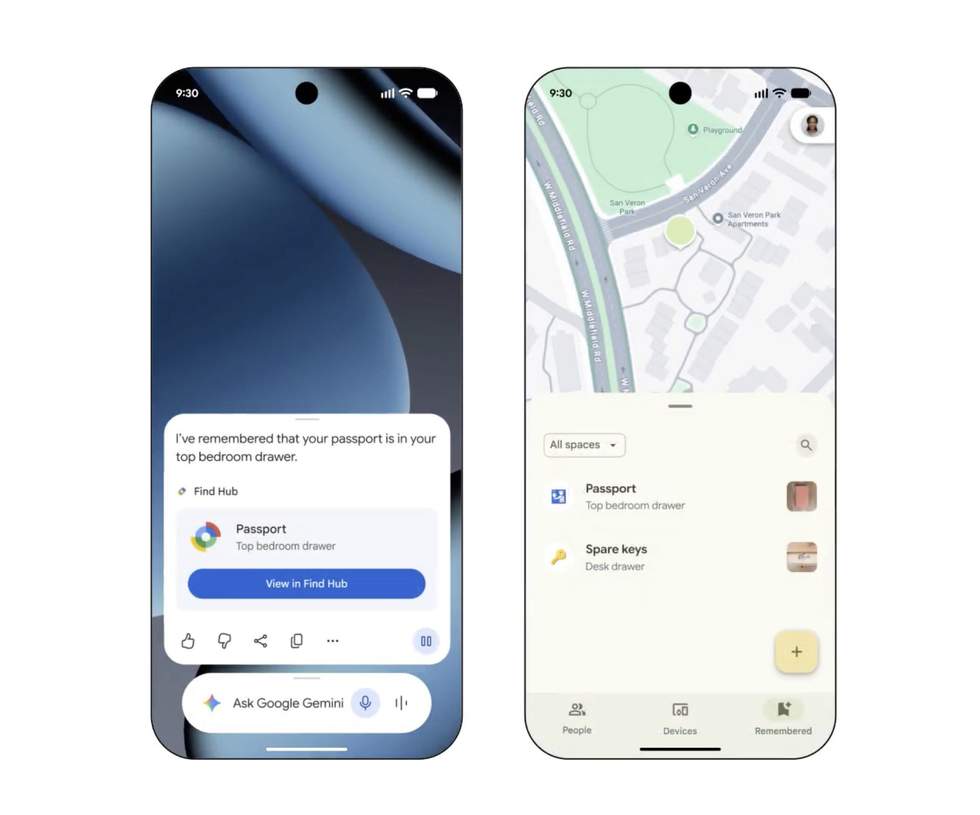
Google is rolling out a really cool feature for Find Hub that lets you tell Gemini to remember where something is and Find Hub will hold onto its location. So rather than everything in Find Hub needing some form of connection for tracking, like a phone, watch, or tracker, Find Hub can now remember where you put your passport or spare light bulbs or charger or whatever.
To use this, you’ll fire up Gemini and say, “Remember in Find Hub that I put my spare key in the night stand under a book,” and it’ll hold that information, including the note about it being under a book. How cool is that?
This should be available on Android 16+ devices.
Google Keep x Google Messages for collaborative notes
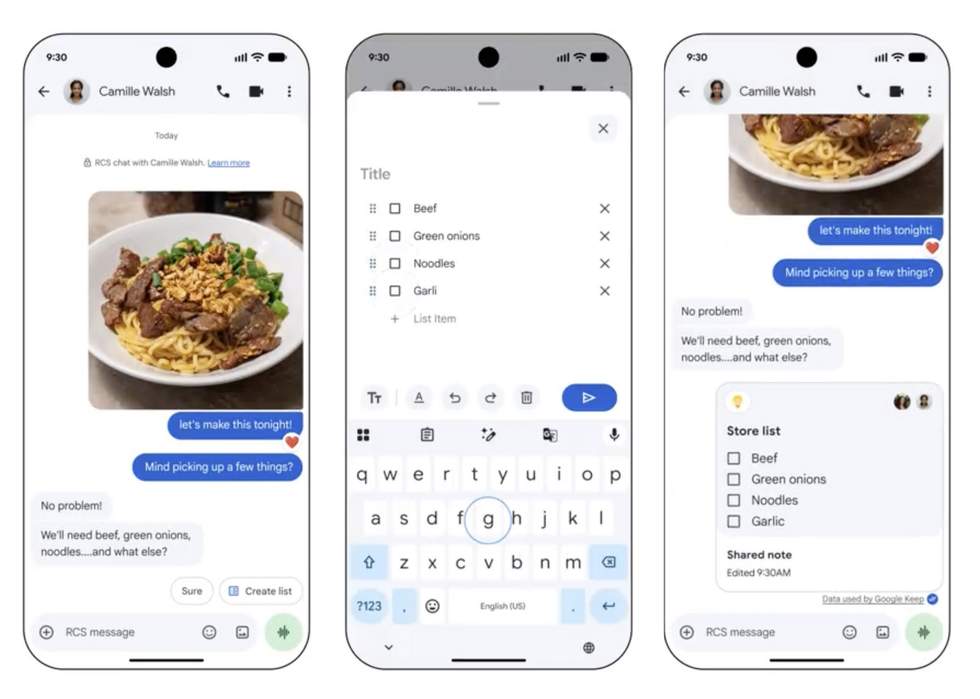
The next big feature is a collaborative effort between Google Keep and Google Messages that lets you create/share something like a grocery list in a chat thread that everyone on the thread can contribute to.
Whether its a vacation planning list or a grocery list for a dinner party, Google Messages can bring up the option to create a Keep list that is editable right inside of Google Messages. Also, very neat, right?
Rollout starts today.
Motion sickness reduction when riding in cars
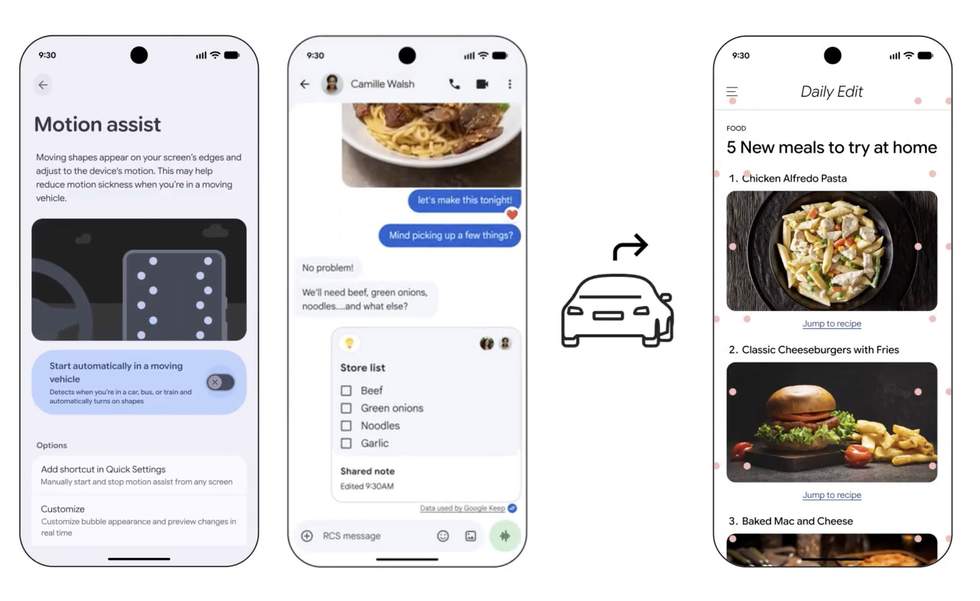
Again, we talked about this last week, but Google is bringing a feature to help reduce motion sickness when you are riding in a car and using your phone.
When Motion Assist is turned on, your phone gets a subtle bubble overlay on your screen that moves with the vehicle you are riding in. The idea here is “bridge the gap between what your eyes see and the movement of your ride,” according to Google.
You can have this setting turn on automatically, set a Quick Settings shortcut for it, and even customize the bubble’s shape, color, and opacity.
This is available to phones running Android 17.
Gemini Live’s new guided vision feature
Gemini Live users can now share their camera to let it read back things like fine print on a food label or a menu in a dimly lit restaurant. This is an accessibility feature that can even be accessed with an Accessibility shortcut or by adding it into the TalkBack menu. This feature is “coming soon” to Android 9+.
Chat Themes in Google Messages!
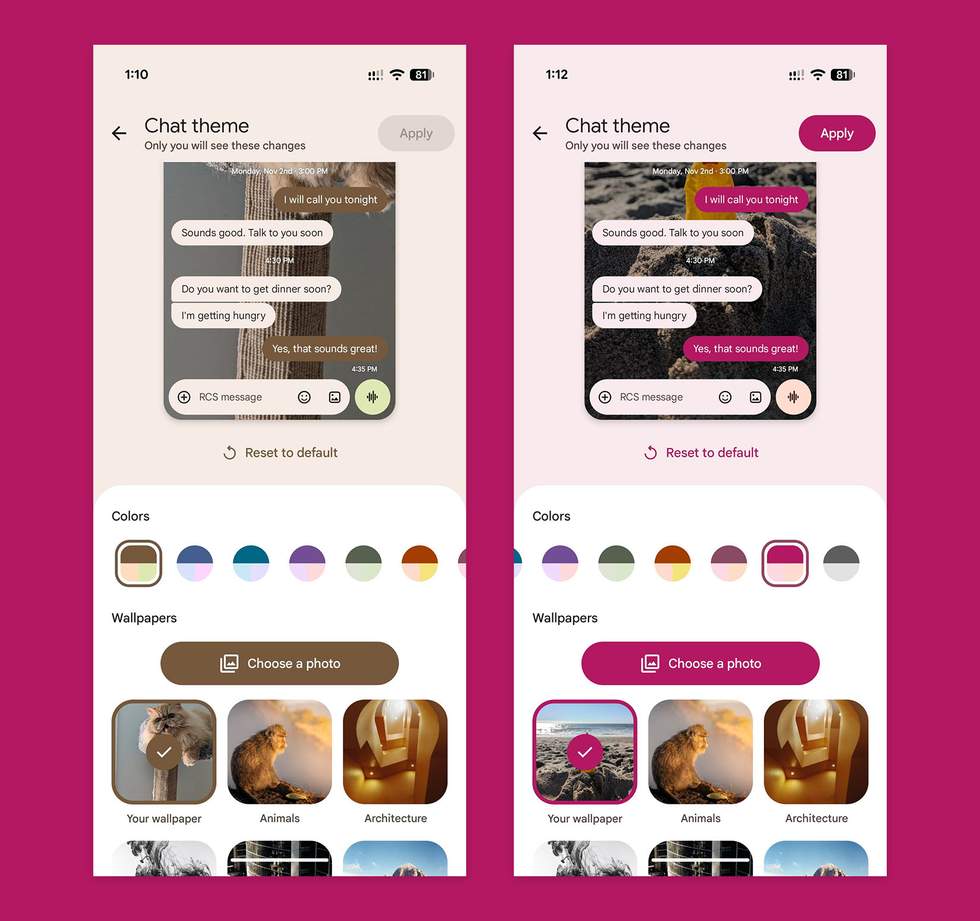
I’m not sure I need to run through this for the 10th time, but yes, Google Messages now has custom Chat Themes. You can set your own custom backgrounds with any photo of your choosing, select from curated options, and switch up the color. These Chat Themes are private to you and not shared with the other parties in your chats.
More on Chat Themes in this previous write-up.
READ: June Android Feature Drop brings 7 new features