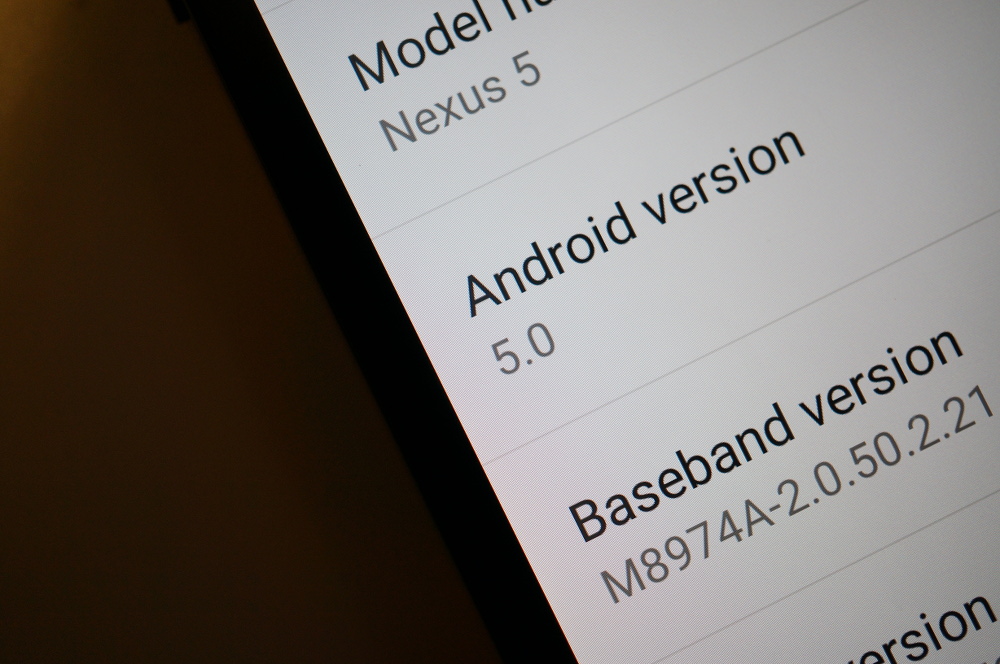
Android 5.0 “Lollipop” Factory Images Posted for Nexus 5, Nexus 7, Nexus 10

Android 5.0 “Lollipop factory images are now available for the Nexus 5 (LRX21O), Nexus 7 (2012 WiFi, LRX21P), Nexus 7 (2013 WiFi, LRX21P), and the Nexus 10 (LRX21P). We also have a new set of images for the Nexus 9 (LRX21Q).

We are still waiting for the Nexus 6 images to appear, along with Nexus 4 and mobile versions of the 2012 and 2013 Nexus 7. Those mobile versions could be a while, but we aren’t sure what’s up with the Nexus 4 and Nexus 6.

Download them below! If you need instructions on how to flash these files, check out this factory image tutorial

If you are a developer and care about things like binaries, those are posted here.

Phones:  Nexus 6 | Nexus 5 | Nexus 4

Tablets:  Nexus 9 | Nexus 7 (2013) WiFi | Nexus 7 (2013) LTE | Nexus 10 | Nexus 7 (2012) WiFi | Nexus 7 (2012) Mobile
Cheers Adam, Nick, Alex, and Chad!

Comments

133 responses to “Android 5.0 “Lollipop” Factory Images Posted for Nexus 5, Nexus 7, Nexus 10”

  1. Johnny Martínez Avatar
    Johnny Martínez

    The image for Nexus 7 2012 (wifi) doesn’t work! Any help?

  2. Tobi De la Cuz Avatar
    Tobi De la Cuz

    If anyone is having issues downloading the file from Google for the Nexus 5 I uploaded it to my drive and here’s the link. Keep in mind that this is the same Stock Image with the issue where you would have to flash the files separately instead of double-clicking on the script. https://drive.google.com/file/d/0B14h1SJuPK36RkxUbVc4TTZkME0/view?usp=sharing

    1. Dhaval Sonawane Avatar
      Dhaval Sonawane

      Thanks Tobi! I kept getting Network Error on 99% completion.. I ve kept this for download now!!

  3. chris_johns Avatar
    chris_johns

    2012 n7?!! woo….can someone tell me if it heals our poor og n7s woes??…def gonna give this a go when i get a chace

  4. patrick Avatar
    patrick

    Well i wont be getting Lollipop for a while considering i have S4 on VZW. You know how that is. On the bright side, Google Keyboard got updated with the Material Design design themes. Woohoo! i know there was the lollipop keyboard available from the L preview but this is the official version.

  5. Art Ramirez Avatar
    Art Ramirez

    Time to update ye olde 2012 Nexus 7.

    1. chris_johns Avatar
      chris_johns

      did you do it…how it go hows the old girl running?

  6. Tobi De la Cuz Avatar
    Tobi De la Cuz

    Anybidy got a mirror for this file? Keep getting network errors close to 100% download from Google Server

    1. vs3894 Avatar
      vs3894

      same here. did twice already same problem. for the n7 2013

    2. ftrex Avatar
      ftrex

      Still getting the problem!

      1. Tobi De la Cuz Avatar
        Tobi De la Cuz

        If u still have issues, i finally got it complete and uploaded it to my G Drive. I put a comment with the link somewhere around here.

  7. BA_Carroll Avatar
    BA_Carroll

    Wugfresh updated the factory images in the Nexus Root kit! Just flash the factory image on my old 2012 nexus 7

  8. NorCalGuy Avatar
    NorCalGuy

    So if all the preview builds were coded Lpxxxx then it is released as Lrxxx? What does Lr stand for?

    1. Gabriel Stegerean Avatar
      Gabriel Stegerean

      LP stands for Lollipop Preview. LR is Lollipop Release

  9. Keith Avatar
    Keith

    Finally home for the evening and flashing my N10 to 5.0 right over top of CM 11 M11 without a data wipe. So far so good… booted and currently at “Android is updating…”

    1. Keith Avatar
      Keith

      Yeah, not the best idea. Best to wipe data (as expected).

  10. SK Avatar
    SK

    Come on Google, post the Nexus 4 images already. I’m going crazy.

  11. JeffColorado Avatar
    JeffColorado

    Just installed it. Yeah, it’s as awesome as you’d imagine.

  12. Solomon Avatar
    Solomon

    I keep getting the boot.img is missing error

    1. Anthony Walker Avatar
      Anthony Walker

      You may need to free up some RAM in Windows. Close all open programs and then do it.

      1. Solomon Avatar
        Solomon

        ok, I’ll try that next. I’m trying to flash each file one by one. should i not do that? I’m already half way through

        1. Anthony Walker Avatar
          Anthony Walker

          I would close the programs first and see if that helps.

  13. Randie Rosa Avatar
    Randie Rosa

    Is the Google service framework trick working for anyone? I know that dude from Google said not to do it but the 2012 n7 is already so laggy I don’t care much.

    1. Peter Stover Avatar
      Peter Stover

      Haven’t tried. Is it safe?

  14. Ruzzara Avatar
    Ruzzara

    I have the latest Dev preview on my Nexus 5 and relocked the boot loader. 2 questions – will I be able to get the OTA update? And can I flash this over the preview without unlocking the boot loader again and losing all my data? Thanks in advance!

    1. Anthony Walker Avatar
      Anthony Walker

      I’m not sure you can get the OTA. There’s a way to flash the image without wiping your data by removing the -w from the flash-all.bat file. It’s contained in this segment: fastboot -w update image-hammerhead-lrx21o.zip

    2. David VanHouse Avatar
      David VanHouse

      1. OTA -NO

      2. Yes if you want (I wouldn do it), you can remove the -w argument from the flash-all.be file

  15. eric ghazarian Avatar
    eric ghazarian

    This is basically the same thing as doing an OTA update if you wish to keep your data then erase the “-w” in the flash-all.bat file. I did it and everything seems to be working fine for now at least. This way you wont have to wait for an OTA

  16. Jhan-Michael Lyons Avatar
    Jhan-Michael Lyons

    As I expected… The nexus 4 will get factory image last….. Smh

    1. Marc Avatar
      Marc

      That thing is two years old now. We can be happy it still receives some Google-love.

      1. Jhan-Michael Lyons Avatar
        Jhan-Michael Lyons

        I know… I’m just impatient lol

  17. CaptainHowdy13 Avatar
    CaptainHowdy13

    Anyone who has issues like me with “missing system.img” just flash the system.img and boot.img and that’s all you need to flash for the upgrade. The other items haven’t been updated at all

    1. andrew borrelli Avatar
      andrew borrelli

      I restarted my computer and this was resolved.

  18. Aboude Avatar
    Aboude

    Hey, I’d ask about something which is my N5.. I unlocked my N5 bootloader but it’s still in stock version which is 4.4.4.. Can I still get OTA updates in install it normally?

    1. Suicide_Note Avatar
      Suicide_Note

      Yes, the OTA will install normally when you’re prompted to update.

    2. adbFreedom Avatar
      adbFreedom

      As long as you have the stock recovery and unmodified system.img you are good to go

    3. Flyinion Avatar
      Flyinion

      As others said, you’re good to go for OTA as long as you haven’t flashed a custom recovery. Also keep in mind if you rooted, you will have to re-root after. It’s not a big deal, I’ve done it quite a bit on my 2013 N7. Takes just a minute or two. I keep the stock recovery on it since I’m running a factory ROM right now, but I just use ADB and fastboot to boot TWRP and flash the root zip real quick.

  19. Rob Avatar
    Rob

    n7 2013 and n5 updated and working great! thanks guys!

  20. Shashank Bhardwaj Avatar
    Shashank Bhardwaj

    What about people who choose not to buy Nexus devices?
    They need an update schedule too. Like the one here: http://goo.gl/0BFCVG

    1. Suicide_Note Avatar
      Suicide_Note

      That’s up to the carrier and/or OEM.

  21. Hothfox Avatar
    Hothfox

    Ugh. Yet again the Nexus 7 2013 LTE is missing, as per usual. BOOHISS

    1. ScoobySnack Avatar
      ScoobySnack

      I guess they’re in no rush since they JUST released the 4.4.4 LTE images…

    2. Daniel Maginnis Avatar
      Daniel Maginnis

      main reason i’d never got a cellular tablet.

    3. Jason B Avatar
      Jason B

      I know. Always disappointing. My 2013 Nexus 7 LTE needs some Lollipop, dammit!

    4. CoolSilver Avatar
      CoolSilver

      Yup. I want a damn explanation this time too. 🙁

  22. CaptainHowdy13 Avatar
    CaptainHowdy13

    Fastboot issues 🙁

  23. Miguel Avatar
    Miguel

    Let’s all dance…

    file:///C:/Users/mmartinez/Downloads/twerking-lion1.gif

  24. Brandon Rosonina Avatar
    Brandon Rosonina

    Holy under clock

  25. Firelight Avatar
    Firelight

    If’n you want the beta MS Office for Tablets app – don’t update to Lollipop. Just sayin’

  26. Walter Partlo Avatar
    Walter Partlo

    Can’t wait to flash this instead of the aosp build on my nexus 7 2012.

  27. Josh M. Avatar
    Josh M.

    It installed fine for me, but nothing in the Play Store is working. I just keep getting Server Errors. Anyone else? Trying a Factory Reset.

  28. schoat333 Avatar
    schoat333

    flash-all.sh FTW

  29. Jarrod Mochnick Avatar
    Jarrod Mochnick

    I must be missing something here, but when I go to the factory image page, I’m only seeing 5.0 for the Nexus Player and Nexus 9. Anyone have a direct link for the Nexus 5?

    1. Keith Avatar
      Keith

      Search the linked page for “hammerhead”.

    2. juan Avatar
      juan

      Same. Open incognito tab, go to page, it’ll be there. Probably something to do with cache and how offer we’ve refreshed this page in the last weeks lol

  30. Junaid Ansari Avatar
    Junaid Ansari

    You will lose your data tho. So be careful and Happy Flashing!

  31. Brandon Rosonina Avatar
    Brandon Rosonina

    Rooted with franco kernel. All system lights green!

  32. Matthew DiGiacomo Avatar
    Matthew DiGiacomo

    Where the hell is the Nexus 4 images

    1. Suicide_Note Avatar
      Suicide_Note

      Patience, grasshopper. It will come.

  33. GeeNex Avatar
    GeeNex

    Where’s the one for the GNex? Oh wait!

    1. NexGee Avatar
      NexGee

      I hope you’re on Verizon the bestest network ever with the greatest phones!!! Though we abandoned that model early because it didn’t have enough of our logos to speed up the device, something that we have worked hard to correct ever since. YEAH BIG RED

      1. dcdttu Avatar
        dcdttu

        Even the GSM one didn’t get much love, and it was a pretty good phone. Damn you, Texas Instruments!

    1. Rod Avatar
      Rod

      Is it true there is no gallery? Is Photos app still part of G+?

      Is G+ deactivable? Will Photos remain working even so?

      1. Jeremy Adams Avatar
        Jeremy Adams

        No gallery and you have to enable google+ for photos to work.

        1. Rod Avatar
          Rod

          Oh god, why…

          Really didnt appreciate this

          1. Jeremy Adams Avatar
            Jeremy Adams

            You’ll probably be able to sideload it. If you can locate the apk.

      2. ReturnOfTheMack Avatar
        ReturnOfTheMack

        Photos app works for me without having to sign in/use google plus.

  34. AB Avatar
    AB

    I’ve never flashed (or rooted) and was browsing through the factory image tutorial…how do you all save your pics, etc. if it wipes everything. I appreciate any feedback as I don’t plan to wait for OTA.

    1. lotsofways Avatar
      lotsofways

      Use Titanium Backup, upload it to a cloud or transfer it to your computer.

    2. Miguel Avatar
      Miguel

      Open you’re photo app and see if all your photos are there, if not, open Google Plus, go to photo section and back up all photos from there, make sure you’re on WiFi.

    3. C-Law Avatar
      C-Law

      I have all my pics backed up because in the Google+ app settings, I have auto backup turned on. Anytime I get a new device or wipe one, I just sign in to google+ and all my pics show up in the photos app and sick gallery app depending on device

  35. Brandon Rosonina Avatar
    Brandon Rosonina

    Anyone elses screen really dim??

  36. Josh M. Avatar
    Josh M.

    Just flashed onto my Nexus 7 2013… Hello beautiful….

    1. vs3894 Avatar
      vs3894

      keep getting a download error at 99 percent :/

    2. chris_johns Avatar
      chris_johns

      hows it running

  37. Tobi De la Cuz Avatar
    Tobi De la Cuz

    How about rooting this?

    1. justwait Avatar
      justwait

      in time…

  38. Brandon Rosonina Avatar
    Brandon Rosonina

    my boot animation is taking forever…….

    1. Josh M. Avatar
      Josh M.

      Mine is too… but with the change to ART I expected that… Hopefully it will come to life soon…

      1. Andrew Knighton Avatar
        Andrew Knighton

        took around 4 minutes for mine to boot

    2. Brandon Rosonina Avatar
      Brandon Rosonina

      nevermind I’m up… took a while though…

      1. JSo Avatar
        JSo

        Yeah, the first boot takes a LONG time. All boots after are normal

  39. pookietookie Avatar
    pookietookie

    How do we restore root after update?

    1. modkern Avatar
      modkern

      You can try flashing the modified kernel from the L Preview and see if it works, at your own risk of course: https://plus.google.com/+Chainfire/posts/ZzXaU1W7Uzm

    2. Suicide_Note Avatar
      Suicide_Note

      I had trouble until I installed Franco’s latest kernel. After that I was able to root my N5 with no problem.

  40. DanWazz Avatar
    DanWazz

    Made my day.

  41. klitzkrieg Avatar
    klitzkrieg

    getting an error on ‘archive doesn’t contain boot.sig’ and recovery.log and system.img. on my Nexus 5. others are XDA are as well.

    1. Josh M. Avatar
      Josh M.

      I got that error too, but it still continued flashing… I’m booting up now… Will see…

    2. Andrew Knighton Avatar
      Andrew Knighton

      If you extract the image and do it the long way(ie flash system, flash boot etc..) it works just fine!

      http://forum.xda-developers.com/nexus-4/general/how-to-how-to-flash-factory-image-t2010312

    3. Matthew Fura Avatar
      Matthew Fura

      That’s normal. Ever factory image I’ve flashed says that. Should go right past and keep on running.

      1. klitzkrieg Avatar
        klitzkrieg

        the package missing system.img seems to be the problem

  42. Brian Menius Avatar
    Brian Menius

    Lollipop: Material Design of Duarte for Make Benefit Glorious Phone of Google

    Very nice.

    1. Daistaar Avatar
      Daistaar

      Upvote for Borat reference lol.

  43. Matthew Fura Avatar
    Matthew Fura

    Uh, tried flashing my N5 using the image, and when it formatted userdata and tried to create the filesystem, it errord with “Not enough space”.

    Anyone else see that?

    1. JSo Avatar
      JSo

      I’m reading on XDA, people are getting the same thing. Not good. 🙁

      1. Andrew Knighton Avatar
        Andrew Knighton

        If you extract the image and do it the long way(ie flash system, flash boot etc..) it works just fine http://forum.xda-developers.com/nexus-4/general/how-to-how-to-flash-factory-image-t2010312

        1. JSo Avatar
          JSo

          I read that too. Wonder what the issue is with the other way though.

          1. Barlog Avatar
            Barlog

            I was having that same problem a few weeks ago when I tried flashing the preview build using Wugfresh Root tool kit. I couldn’t figure out how to get it to work

        2. Matthew Fura Avatar
          Matthew Fura

          Yeah, I figured as much. I just extracted the userdata.img and flashed that manually. Booting up now.

  44. keepcustrec Avatar
    keepcustrec

    Now, should I do a fresh install, or wait for a flashable zip with a rooted kernel to show up on xda..

  45. JSo Avatar
    JSo

    My day is complete

  46. Noeltorious Avatar
    Noeltorious

    Nexus 4 user unfortunately, so there’s that….

    1. Noeltorious Avatar
      Noeltorious

      Double hit to the gut – 1st no 64gb n6 and then this lol

  47. Miguel Avatar
    Miguel

    It’s here, flashing time.

  48. Guest Avatar
    Guest

    Flashing time…

  49. Guest Avatar
    Guest

    I don’t see Nexus 5 factory image, am I missing something?

    1. dcdttu Avatar
      dcdttu

      It’s there.

    2. Jarrod Mochnick Avatar
      Jarrod Mochnick

      Same for me. I’m only seeing 5.0 for Nexus Player and Nexus 9.

  50. Gerardo Sarabia Avatar
    Gerardo Sarabia

    Was that so hard Google?

  51. Shawn Spring Avatar
    Shawn Spring

    Wonder if it would be worth it to refresh my Nexus 7 (2012) with a Lolli factory image? That thing is old as goats now.

    1. Abdoulah Soulami Avatar
      Abdoulah Soulami

      You should, mine is as new as a .. hum, a new animal of your choosing

    2. dcdttu Avatar
      dcdttu

      Another way to speed up the ’12 N7 is to turn off animations within the Developer Options. Can be done in Lollipop too.

      1. Shawn Spring Avatar
        Shawn Spring

        Your avatar is ironic since I was kanging AOKP on the 2012 N7

  52. Mark Avatar
    Mark

    YESSSSSSSSSSSSSSSSSSSSSSSSSSSSSSSSSSSSSSSSSSSSSSSSS I LOVE EVERYTHINGGGGGGGGGGGG

  53. Reed Kerr Avatar
    Reed Kerr

    Is the image for grouper (N7 2012 WiFi) the same one that was leaked yesterday?

    1. Cesar Flores Avatar
      Cesar Flores

      Yes it is, practically the same package file.

  54. Shawn John Avatar
    Shawn John

    Niiiiiice. Thank you Google.

  55. Cruiserdude Avatar
    Cruiserdude

    Thank goodness Google, I think some of us were starting to lose it over here!

  56. Menger40 Avatar
    Menger40

    It’s like Christmas morning!

  57. Frankiie Avatar
    Frankiie

    I wonder how long it will take to get an update for Play Edition devices.

  58. epyon Avatar
    epyon

    Literally just sent this in right as the story was popping up.

  59. pseudoswede Avatar
    pseudoswede

    Nexus 7 [2013] Wi-Fi is available now.

    1. Marcus Avatar
      Marcus

      where how why is it OTA?

  60. fartbubbler Avatar
    fartbubbler

    yummmm

Leave a Reply