
 Kellen
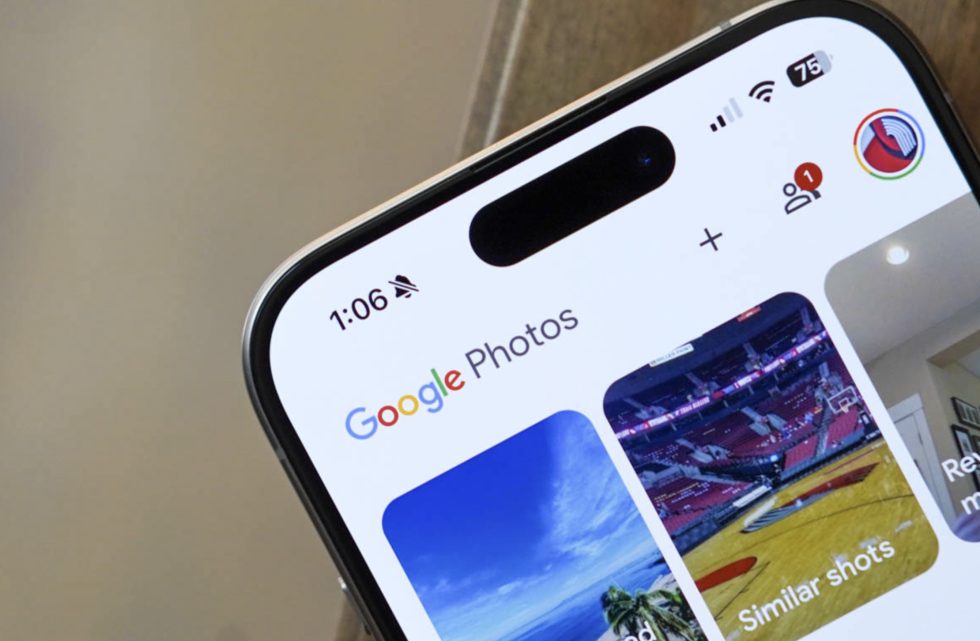
Opening Google Photos on an iPhone this morning showed us an upcoming design change that could land on Android in the near future. Google appears to be readying a new bottom bar that takes on some style ideas from Apple’s newest design language, without bringing in that awful glass aesthetic.
In the latest Google Photos update on iOS (v7.63.0), you’ll notice a floating bottom bar for navigation within the app towards the bottom area. This new bar still contains shortcuts to Photos, Collections, and Create, they just live inside of a floating pill now. Another tweak is a separation of the search button into its own floating circle off to the right of the main navigation pill. On Android, all of those options are together in a pinned bar at the bottom of the app.
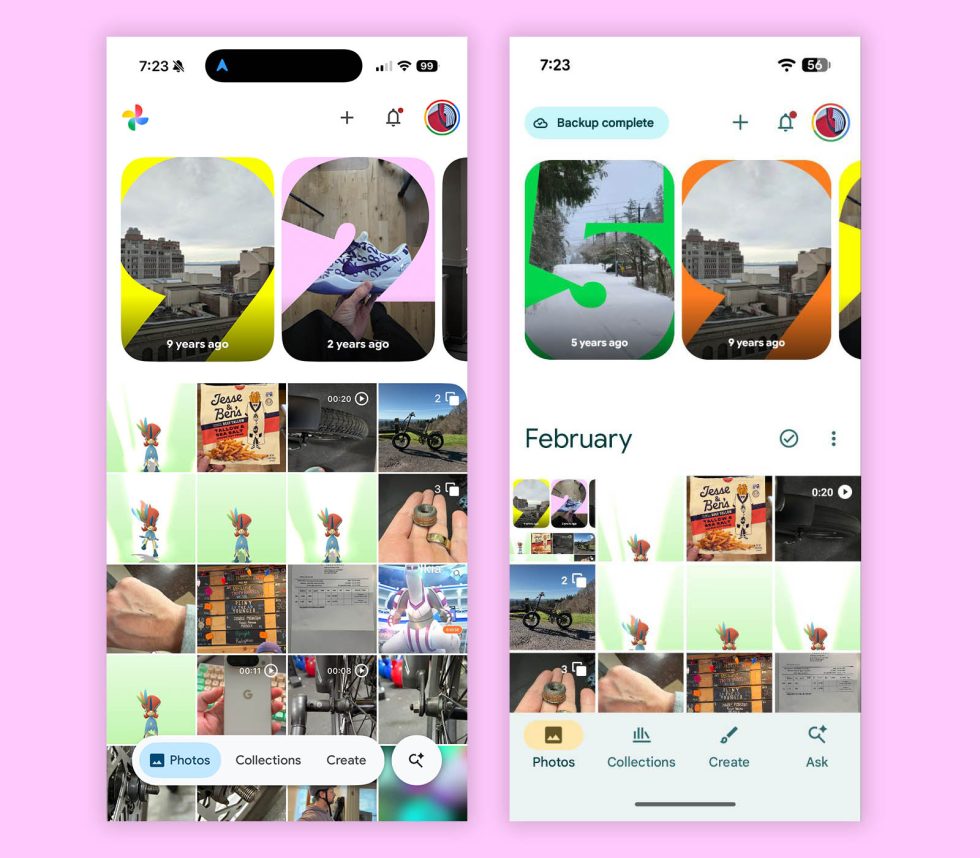
iOS vs. Android
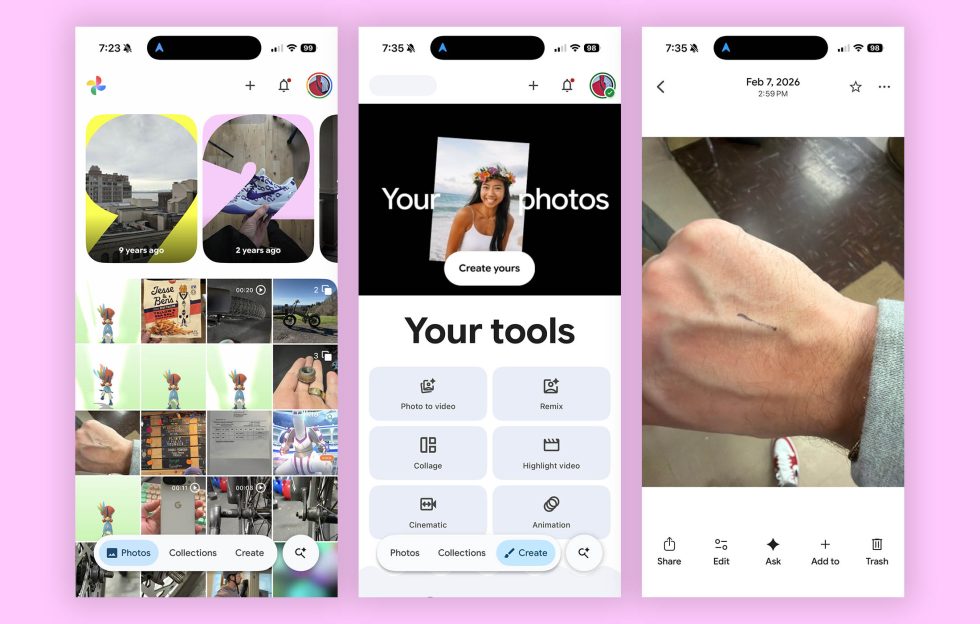
Google seems to have mostly limited the changes for this new navigation bar to the main tabs, as entering a photo or some other areas of the app switch back to that old style pinned bar with options or lack one entirely. This all appears to be the beginning of this transition to a floating navigation bar or floating action bar. You can see in the image to the bottom right, where all of the action buttons in a photo are as they were previously and the new floating bar is gone.
When Apple introduced iOS 26 last year, they also introduced their new Liquid Glass design. This design does indeed bring a touch of frosted glass to a bunch of their apps and it’s mostly horrible. However, as a part of that big design change, they started putted most action items or menus at the bottoms of apps. This turned into a floating navigation bar or search bar, with separation for things like search, just as Google is doing here. Thankfully, Google has at least not adopted that glass styling and is keeping it Material instead.
Since this is happening on iOS first, there’s always a chance that Google doesn’t bring this same idea over to Android. However, it’s such a cleaner and more modern look than what the Android version currently has. This feels updated and new and yet still includes all of the functionality from before.
If it shows up on Android, we’ll let you know.
Collapse Show Comments5 Comments