
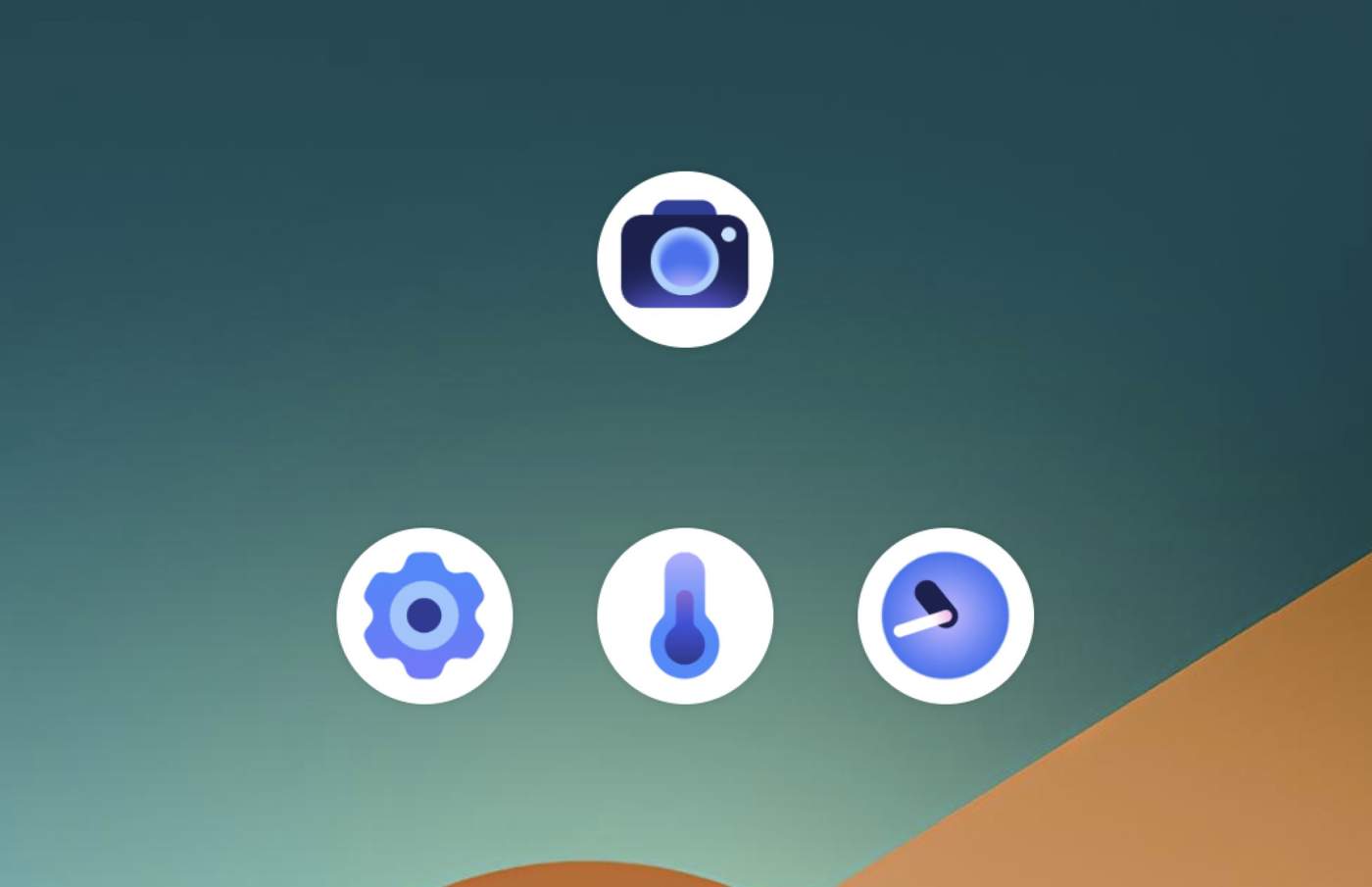

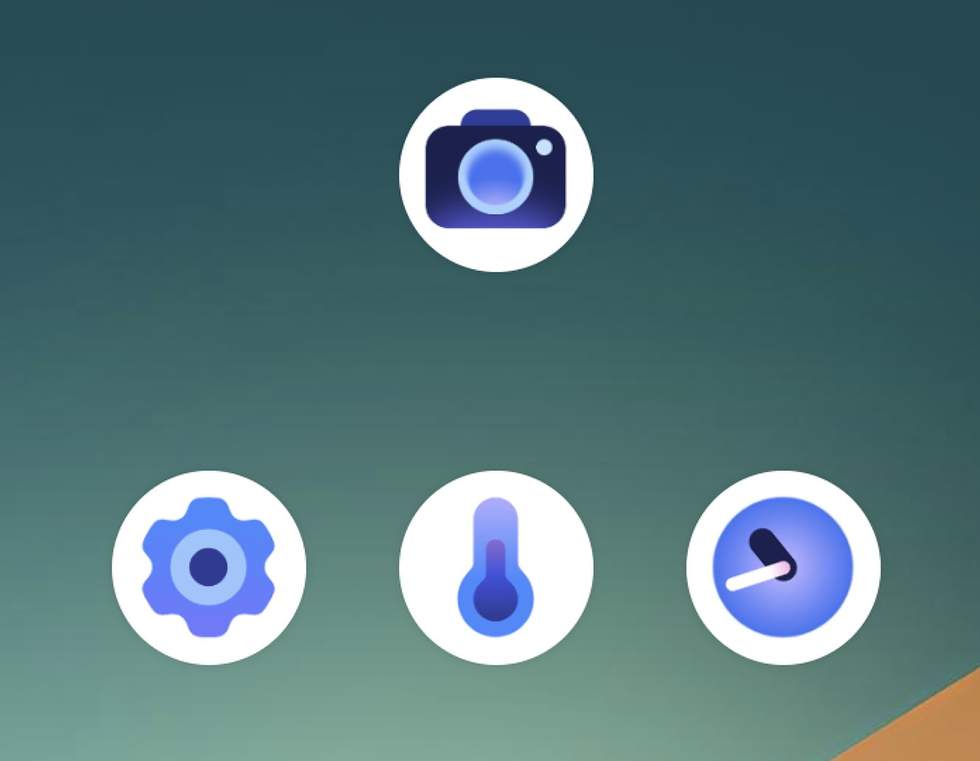
Since the release of the Pixel 11 series, Google has spent some time updating Pixel apps with new icons. We have new icons for the Pixel Camera, Google Clock, Thermometer, and Settings.
The new icons are arriving in a variety of different ways and on different devices. These should all arrive on all Pixel devices before long, but to get them, you may need to do a bit of work.
For the new Pixel Settings icon, you will need to be running the newest Android 17 QPR2 Beta 3. The Pixel 11, which is currently allowed in the Android Beta Program, can’t get this update or new icon yet. However, all of the older Pixel phones sure can.
For the new Pixel Camera icon, you’ll need to own a Pixel 11 series phone. The new icon comes as a part of the v11.0 update for the Pixel Camera, which you could get on your older Pixel phone by sideloading through one of those obnoxious .apk sideloader apps.
For the new Pixel Thermometer icon, you’ll have to own a Pixel phone with a Thermometer built-in, like the Pixel 8 Pro, Pixel 9 Pro, or Pixel 10 Pro.
Finally, for the new Google Clock icon, you should see an update today to v9.1 on your Pixel phone. Simply grab the update through Google Play (here) and you’ll get it.
Thoughts on the new icons?