Box Handing Out 50GB of Cloud Storage for Free

by: | posted 02.12.13 | News

Box

Here we are again, letting you all know about a sweet deal from Box, who is giving away 50GB of free cloud storage. It’s only for new users, so go sign up with a new email and you are good to go. Even if you don’t think you need it, just do it anyways. Never a bad idea to have a ton of cloud storage with your name on it.

Sign-up Here.

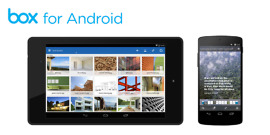
Once signed up, you can grab the Android app here.

Cheers Nick S!

Box is Offering 25GB of Free Cloud Storage For New Sign-ups

by: | posted 02.07.13 | Apps, News

Box

Need some more cloud storage? How about 25GB, for free? Box, a leader in cloud storage among Dropbox and other top names, is hosting a special promo for all new sign-ups. To take advantage of this deal, all you need is an email address and Internet access. For anyone hoping to upgrade their account, you’re out of luck. Only new accounts are supported.

And once you have your account set up, go grab the Android app here.

Sign up here.

Cheers Scott and Nick S!

Get Your Hands on a Nexus 4? It Qualifies For 50GB of Free Storage From Box

by: | posted 11.20.12 | News

If you have your hands on a Nexus 4 already we have something that will make your day a bit better. Last year, way back in November, LG and Box got together for a nice little storage promotion. Every LG phone that installed Box before December 31, 2012 gets 50GB of storage for free.

While it may be a Google Nexus, LG definitely manufactured the phone which means you’re eligible for that free storage. Now it’s in Google’s hands to try and get all the back orders filled before the end of the year so people can claim their free storage.

Any Nexus 4 owners planning on using this promotion for their cloud storage needs?

Via: Box

Box 2.0 for Android Introduces In-app Previews of Files, Offline Folders, and More

by: | posted 11.15.12 | Apps, News

I love Box. The app. Mind out of the gutter, people, I’m talking about the cloud storage app, which was just updated for Android. In version 2.0, users can preview items from within the app, so you no longer have to exit to a 3rd party application to see what you are working with. This new version supports 75 different file types of previews including Word docs, PowerPoint presentations, Photoshop files, and PDFs.

Along with new previews, the Box team tossed in offline folders, so that as you venture into the desert looking for Thunderdome, you’ll have access to all of your files. There is a transfer manager to help keep track of file transfers as well, plus the ability to click on Box links in an email or webpage and load up the Box app, rather than the browser.

It’s a solid update to one of our favorite cloud storage services.

Via:  Box

Box Update for Android Brings Copy/Move and Multi-Select

by: | posted 08.09.12 | Apps, News

My personal favorite cloud storage service, Box, received an update on Android this afternoon that introduced multi-selection of folders and files, plus the ability to copy and move them. In order to activate this new functionality, all you have to do is long press on the first folder or file that you would like copied or moved, and a column filled with check boxes will slide out from the left side. From there, tap away on boxes to select other files and folders. The icons on the bottom will let you move, copy or delete.

Have you chosen Box as your many cloud storage service, or are you too invested in Dropbox?

Play Link

CloudOn Released for Android – Create MS Word, Excel, and PowerPoint Documents While On the Go

by: | posted 05.09.12 | Apps, News

A fantastic application has made its way onto the Play Store that will enable Android tablet users to produce some serious work while still being mobile. With CloudOn, you can access three of the major cloud storage services like Dropbox, Box, and Google Drive. Once connected to your online storage, you can then create/edit Microsoft Word, Excel, and PowerPoint documents from anywhere you have an internet connection.

The application doesn’t stop there – with built in Adobe Reader, you can essentially open any type of file for viewing including PNGs, GIFs, and even PDFs. It’s a fantastic mobile tool that almost all Android tablet users should think about picking up. Starting today, you can give it a go in the Play Store for free. 

Tuesday Poll: Are You Ready to Adopt Google Drive For All of Your Cloud Storage Needs?

by: | posted 04.24.12 | Polls

Let’s be honest, Google Drive is really just a rebranded Google Docs that is aiming draw in a wider variety of consumers. Its current base is mostly business users or those of us who would rather not fork out the cash required for a top tier office suite but who still need cloud access to documents and other files. As “Drive” though, it’s clear that Google wants to take in users from the “cloud storage” arena and move away from simply being a “cloud document service.” After all, their new motto for the service is “Keep everything. Share anything.” With a free 5GB of storage to get everyone started and upgrades at monthly fees to expand your Drive, are you ready to make this your one-stop shop for the cloud? Will you stick with Dropbox or will you continue to use a variety of services?

Are You Ready to Adopt Google Drive For All of Your Cloud Storage Needs?

View Results

Loading ... Loading ...

Google Drive Launching Next Week with 5GB of Free Storage?

by: | posted 04.16.12 | Apps, News


According to The Next Web, Google’s Dropbox competitor known as Drive, will launch next week on Android, iOS, Windows and Mac. When released, users will receive 5GB of free storage with the option to upgrade to more at various price levels.

What we are trying to decide though, is if we care? Dropbox and Box are both awesome cloud storage services with great Android apps, so why switch? I already have 50GB on Box for free and another 30GB on Dropbox thanks to my HTC One X, so why would I want to migrate over to Google’s new service? Well for one, it adds another level to the ecosystem. Our email, contacts, music, navigation, maps, calendars, etc. are all run by Google, so this would add a missing piece. If your life is dedicated to Google, you should be happy about this. If you love stiff competition outside of the mega-companies, then this may ruffle your feathers.

Ready for Google Drive or are you satisfied with the others?

Via:  TheNextWeb