Question of the Day: How Do You Find Your Daily News?

by: | posted 03.20.13 | Polls

news android

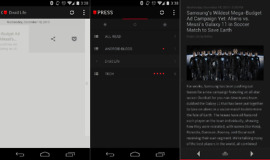
With Google intending to kill off Google Reader by July of this year, people in my industry are freaking out a bit. You see, we all live and die with RSS feeds as we browse dozens throughout the day to help us create the stories that we bring to you. But we’re a small group, as the comments on this site and Twitter have helped us realize. RSS feeds are not as popular as they once were – if they were, Google wouldn’t be killing off their famed service. Many of you have turned to Twitter, Pulse, Flipboard, Google Currents, or a variety of other services.

Speaking of Currents, I retweeted a comment this afternoon from a reader who suggested Google kill it off instead of Reader. As someone who rarely looks at Currents unless it has received an update, I fully agree with this person, however, many of you were quick to point out that you enjoy the service and would rather stick a needle in your eye than use Reader.

So that brought me to today’s poll – how are you gathering your news throughout the day? News readers? News gatherers like Pulse? Social media?

Adobe Reader Receives Sizable Update – Text Adding and File Organizer Included

by: | posted 07.18.12 | Apps, News


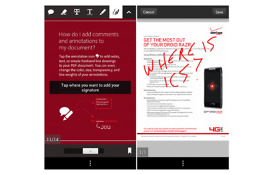
Adobe Reader received an update this morning that brought with it an “Add Text” tool. In a previous update, Reader was given signature support, form filling, and doodling fun, but you weren’t able to simply add text. I can’t tell you how many times I have tried either, so I’m excited for this new addition. The Reader team also improved the file organizer, allowing you to create folders and copy, move, rename and delete files. They included more form filling options as well.

  • Add text to your PDFs with the Add Text tool
  • Use forms that have Field Validation, Calculation, and Formatting
  • Organize and manage your documents in Reader’s improved file organizer. Create folders, copy, move, rename, and delete files.
  • Help us make Reader better by optionally sharing anonymous usage data with us
  • Fixed several bugs and performance issues

Play Link

Adobe Reader Update Finally Includes Signature Support, Form Filling, and Doodling

by: | posted 04.10.12 | Apps, News


How many times have you received a PDF document that needed a signature, yet all you hand on you was your phone? No way to print, no way to scan once you printed, just a phone with a big beautiful screen. Oh, and you also didn’t feel like shelling out the $4.99 that PDF signature apps run for these days. How nice would it be if the actual Adobe Reader app included a feature like this. Wait, they do? They do! As of today.

In the Google Play store, you will find one of the better updates to an Adobe app in a long time. In version 10.2 you can use their ne Ink Signature tool to sign documents, easily mark them up with a freehand tool, add comments or sticky notes, fill out boxes in forms, and send to others for electronic signing using Adobe EchoSign. Nice work, Adobe.

Play Link

Via:  Phandroid

Tablet Support Comes to Google Reader App in New Update

by: | posted 08.17.11 | Apps, News

Hooray for more tablet apps!  The number of Honeycomb apps seems to be on the rise these days, but we could always use more, especially the apps we use on a daily basis.  Google Reader is by far my top choice for a feed reader, so I couldn’t be happier that it now looks tabletified.  Sure, there are plenty of spicy photo-centric readers like News360 and Pulse that get the job done – I just like my news simple.  If you want something without all the fluff and that reminds you of an in-browser reader, then this is a great choice.