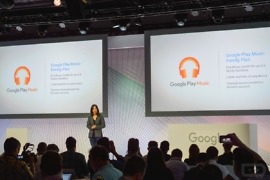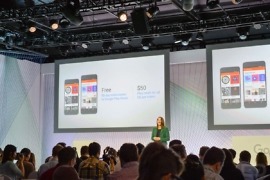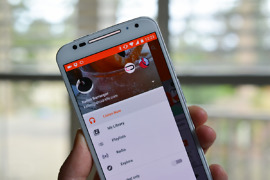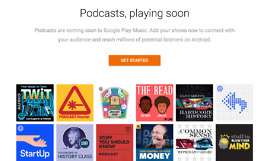
Before Google Music launched, Google and the music labels were said to have had a hard time working out the hard details, but they eventually reached an agreement. A recent report said that a few execs in Google working for the Android department have been in talks with music labels for expanding Google Music, wanting a Spotify-like streaming service.
Google Might Be Looking to Beat Apple to The Streaming Music Game
Google Play Music Updated, Brings New Default Album Art and More
If you are a Google Play Music user, which we think you should be, go grab the newest update that was just released to Google Play. It brings a few new features such as instant mixes (which we love) going beyond 25 songs when you reach the end, new default album art (yes!), and fixes for the freezing issues on the Galaxy S3.
Designer Puts Together What a Redesigned Google Music Could Look Like
Since the launch of Google Now, Google has been moving towards a certain design language with Android and it’s been well received by many people. The core Google apps have been slowly moving away from the Honeycomb look and more towards the Jelly Bean ”Holo“ feel. One app that still feels lacking, however, is Google Music, the dark backgrounds and highlights just don’t mesh with Jelly Bean well.
Tip: How to Fix Poorly Matched Songs in Google Music, Explicit Ones Included
On Monday, we first reported on the fact that Google Music’s new Scan and Match feature didn’t appear to be all that big of a fan of music with explicit lyrics. In fact, almost every album that users attempted to match to Google that contained explicit content, was being matched with the much more Sunday-friendly, “clean” version. Users complained, as expected, because a fix for the problem was initially no where to be found.
Google’s Scan and Match Feature Isn’t a Fan of Explicit Music
Depending on your fondness of certain words in music, the Scan and Match feature that Google implemented to Google Music may leave you quite upset. Scan and Match quickly tags music you are uploading and instead of uploading the entire file, it makes the tracks available from their catalog, saving people lots of upload time. That is great, but what happens when you are not getting exactly what you are trying to upload.
Google Play Enables Scan and Match Feature For U.S. Play Music Users
This morning, Google announced the availability of the Scan and Match feature for Google Play Music users. The feature, that went live last month for European users, scans the music you are uploading from the desktop Music Manager and then instantly makes it available from the cloud in minutes instead of hours.
Our new music matching feature gets your songs into your online music library on Google Play much faster. We’ll scan your collection and quickly rebuild it in the cloud – all for free. And we’ll stream your music back to you at up to 320 kbps.
Go try it out. I uploaded a 12 song album in literally 15 seconds and it was available instantly on my Android device. This is going to save people a lot of time! Thanks, Google.
Via: Google+
CyanogenMod’s Highly Customizable Apollo Music App Hits Google Play
Users of CyanogenMod will recognize Apollo as the baked in music player that is featured throughout their ROMs. This morning, it has officially hit Google Play for anyone to download, and features some very cool options that could certainly replace any other player you currently use. For example, it has the look and feel of Google Music, while also providing lots of options such as lyrics support, custom themes, and also the ability to pin full albums/playlists to your homescreen for easy access.
There are a ton more things you can do, so check it out if you’re looking to get the most out of your mobile music player.
Via: Android Spin
The Nightmare of Maintaining Your Music Library [Opinion]

Like many in my generation, I started listening to music on CDs. I used to sit in a rocking chair with my “skip free” portable CD player (I can’t remember if it was a Walkman or not) listening to Now 4 or No Doubt. Around the age of 16 or 17 I was given my first iPod: a 30 GB 5th generation iPod Classic (although at that point it wasn’t called “Classic”). I can vividly remember sitting down at my computer and slowly importing dozens of CDs into iTunes and syncing my iPod. I remember when Tri-tone meant that my CD had been imported, not that I had a new message. I began buying music straight from iTunes instead of visiting the then large, now non-existent CD section at my local Best Buy.