Friday Poll: Why Do You Root Your Device?

by: | posted 05.04.12 | News, Polls

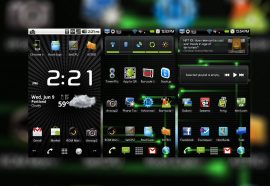
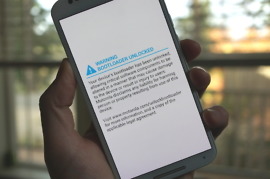
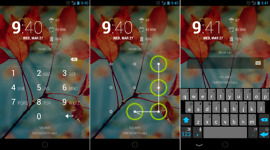
It’s no secret that the DL community is big into the root and ROM game. We have some of the most savvy of readers, but there is one among us who needs our help. His name is Davis and he is doing a school project. He needs to know why people choose to root their devices. Is it for the custom ROMs, themes, kernels, etc? Let’s help this guy out.

Why do you root your Android device?

Custom ROM Friday: Black Widow ICS for the DROID RAZR

by: | posted 04.13.12 | News, RAZR, Root

The DROID RAZR has started to receive a bit more developer love lately, so we knew it was time to showcase some of the newest work we could find. What we have today is called, Black Widow ICS. It uses AOKP as a starting point, so you know it is going to be filled with options and customizable goodies for your eyes and fingers to play with. 

First Batch of 4.0.4 ROMs Arrive for the LTE Galaxy Nexus

by: | posted 03.29.12 | Galaxy Nexus, News, Root

With the release of Android 4.0.4 to the Open Source Project, custom ROM developers have begun the scramble in working all of the newest features into their current work. One of the more well-known developers, Roman and his team from the Android Open Kang Project, have released Build 29 for the Galaxy Nexus and there are also builds floating around from other mentionable developers, inlcuding a stock 4.0.4 build from Birdman.

AOKP Build 29 | Stock 4.0.4

For downloads and flashing instructions, just click the thread link you wish to read up on and go from there. But do note, that when flashing a newer version of Android, you must wipe data/cache in order to have a clean install. We don’t want anyone bootlooping when trying to perform these tasks.

Cheers K!

Which Custom ROM are You Running on Your HTC Rezound?

by: | posted 03.26.12 | News, Polls, Rezound

We recently had a reader email asking which custom ROMs were good for the HTC Rezound. Since all of us here at the DL offices are proud owners of the Galaxy Nexus, we want to help those with Rezounds out who are looking for a good custom ROM. So help us out, Rezound owners. Which custom ROM do you swear by? Something with no Sense UI? Something with as many customizable features as possible? List them out below and let folks weigh their options.

Cheers Jeremiah!

Custom Theme Friday: Nexus Plus for AOKP Build 28 or Rootzboat 8.2

by: | posted 03.23.12 | Galaxy Nexus, News, Root

Even if we posted a new custom theme for the Galaxy Nexus every day for the remainder of the year, I don’t think we would be able to post them all. There is such a strong and passionate developer community surrounding this device that reminds us so much of the good ‘ol OG DROID days. The next theme we are spotlighting is Nexus Plus, which will run on top of the Android Open Kang Project’s Build 28 ROM or Rootzboat 8.2. Both of which are fantastic ROM choices for Nexus owners. 

Custom ROM Friday: LiquidSmooth Beta 3 For Galaxy Nexus

by: | posted 02.10.12 | Galaxy Nexus, News, Root

The Liquid series of ROMs are available for a wide assortment of devices. Thanks to a hardworking developer by the name of Liquid0624, many folks have been enjoying them for quite some time and there doesn’t seem to be any slowing down in development. The newest release in the the saga of Liquid is the LiquidSmooth ROM for the Galaxy Nexus.

This ROM stands out for a few reasons: it’s being hyped as one of the fastest ROMs available, is extremely light, super snappy and runs LeanKernel. The zip itself is just 92MB, which is tiny compared to some other ROMs. Google Apps are already baked right into the ROM, so that makes installation a breeze. Look below for our installation guide. 

Mod: Inverted Google Apps For Your Galaxy Nexus

by: | posted 01.27.12 | Galaxy Nexus, News, Root

For those of you looking to further your custom ROM experience, then the next step to take is to completely black out all of the Google applications. Thanks to themer travp624 over at RootzWiki, you can grab all of the popular Google apps in all black. Hotness. By inverting the apps, you can give your phone a completely new look and feel. For screen shots, hit each link and check out what your device will look like.