<?xml version="1.0" encoding="UTF-8"?><rss version="2.0"
	xmlns:content="http://purl.org/rss/1.0/modules/content/"
	xmlns:dc="http://purl.org/dc/elements/1.1/"
	xmlns:atom="http://www.w3.org/2005/Atom"
	xmlns:sy="http://purl.org/rss/1.0/modules/syndication/"
		>
<channel>
	<title>Comments on: Tip:  Use LauncherPro and the New Blur App Drawer Together on Your DROIDX</title>
	<atom:link href="http://www.droid-life.com/2011/05/31/tip-use-launcherpro-and-the-new-blur-app-drawer-together-on-your-droidx/feed/" rel="self" type="application/rss+xml" />
	<link>http://www.droid-life.com/2011/05/31/tip-use-launcherpro-and-the-new-blur-app-drawer-together-on-your-droidx/</link>
	<description>An intense Android news community bringing you the latest in phones, rooting, apps, and reviews.</description>
	<lastBuildDate>Fri, 24 May 2013 09:11:00 +0000</lastBuildDate>
	<sy:updatePeriod>hourly</sy:updatePeriod>
	<sy:updateFrequency>1</sy:updateFrequency>
	<generator>http://wordpress.org/?v=3.5.1</generator>
	<item>
		<title>By: addicted2myphone</title>
		<link>http://www.droid-life.com/2011/05/31/tip-use-launcherpro-and-the-new-blur-app-drawer-together-on-your-droidx/comment-page-1/#comment-330715</link>
		<dc:creator>addicted2myphone</dc:creator>
		<pubDate>Fri, 03 Jun 2011 15:16:00 +0000</pubDate>
		<guid isPermaLink="false">http://www.droid-life.com/?p=35186#comment-330715</guid>
		<description><![CDATA[me.  Verizon is shipping me a new phone &quot;overnight&quot; only it&#039;s taken 2 days so far....]]></description>
		<content:encoded><![CDATA[<p>me.  Verizon is shipping me a new phone &#8220;overnight&#8221; only it&#8217;s taken 2 days so far&#8230;.</p>
]]></content:encoded>
	</item>
	<item>
		<title>By: tender82</title>
		<link>http://www.droid-life.com/2011/05/31/tip-use-launcherpro-and-the-new-blur-app-drawer-together-on-your-droidx/comment-page-1/#comment-330616</link>
		<dc:creator>tender82</dc:creator>
		<pubDate>Fri, 03 Jun 2011 05:45:00 +0000</pubDate>
		<guid isPermaLink="false">http://www.droid-life.com/?p=35186#comment-330616</guid>
		<description><![CDATA[I had this issue too.  I let the phone sit a while then took the battery
 out and turned it on again.  As soon as I saw the app drawer launcher 
button, I opened it and opened my ATK.  I killed EVERYTHING.  I 
uninstalled LP.  I let it go and then it eventually ran perfectly.  
Later that night I re-installed LP and it was fine.  Hope that helps]]></description>
		<content:encoded><![CDATA[<p>I had this issue too.  I let the phone sit a while then took the battery<br />
 out and turned it on again.  As soon as I saw the app drawer launcher<br />
button, I opened it and opened my ATK.  I killed EVERYTHING.  I<br />
uninstalled LP.  I let it go and then it eventually ran perfectly. <br />
Later that night I re-installed LP and it was fine.  Hope that helps</p>
]]></content:encoded>
	</item>
	<item>
		<title>By: tender82</title>
		<link>http://www.droid-life.com/2011/05/31/tip-use-launcherpro-and-the-new-blur-app-drawer-together-on-your-droidx/comment-page-1/#comment-330614</link>
		<dc:creator>tender82</dc:creator>
		<pubDate>Fri, 03 Jun 2011 05:44:00 +0000</pubDate>
		<guid isPermaLink="false">http://www.droid-life.com/?p=35186#comment-330614</guid>
		<description><![CDATA[I had this issue too.  I let the phone sit a while then took the battery
 out and turned it on again.  As soon as I saw the app drawer launcher 
button, I opened it and opened my ATK.  I killed EVERYTHING.  I 
uninstalled LP.  I let it go and then it eventually ran perfectly.  
Later that night I re-installed LP and it was fine.  Hope that helps]]></description>
		<content:encoded><![CDATA[<p>I had this issue too.  I let the phone sit a while then took the battery<br />
 out and turned it on again.  As soon as I saw the app drawer launcher<br />
button, I opened it and opened my ATK.  I killed EVERYTHING.  I<br />
uninstalled LP.  I let it go and then it eventually ran perfectly. <br />
Later that night I re-installed LP and it was fine.  Hope that helps</p>
]]></content:encoded>
	</item>
	<item>
		<title>By: tender82</title>
		<link>http://www.droid-life.com/2011/05/31/tip-use-launcherpro-and-the-new-blur-app-drawer-together-on-your-droidx/comment-page-1/#comment-330613</link>
		<dc:creator>tender82</dc:creator>
		<pubDate>Fri, 03 Jun 2011 05:43:00 +0000</pubDate>
		<guid isPermaLink="false">http://www.droid-life.com/?p=35186#comment-330613</guid>
		<description><![CDATA[I had this issue too.  I let the phone sit a while then took the battery out and turned it on again.  As soon as I saw the app drawer launcher button, I opened it and opened my ATK.  I killed EVERYTHING.  I uninstalled LP.  I let it go and then it eventually ran perfectly.  Later that night I re-installed LP and it was fine.  Hope that helps.]]></description>
		<content:encoded><![CDATA[<p>I had this issue too.  I let the phone sit a while then took the battery out and turned it on again.  As soon as I saw the app drawer launcher button, I opened it and opened my ATK.  I killed EVERYTHING.  I uninstalled LP.  I let it go and then it eventually ran perfectly.  Later that night I re-installed LP and it was fine.  Hope that helps.</p>
]]></content:encoded>
	</item>
	<item>
		<title>By: Anonymous</title>
		<link>http://www.droid-life.com/2011/05/31/tip-use-launcherpro-and-the-new-blur-app-drawer-together-on-your-droidx/comment-page-1/#comment-329313</link>
		<dc:creator>Anonymous</dc:creator>
		<pubDate>Wed, 01 Jun 2011 19:20:00 +0000</pubDate>
		<guid isPermaLink="false">http://www.droid-life.com/?p=35186#comment-329313</guid>
		<description><![CDATA[if you get anywhere, email me. jason.scott.cooper@gmail.com. send me yours and ill do the same. i have had some ideas pitched at me but nothing has worked yet, and im not ready to commit to wiping the phone just yet.]]></description>
		<content:encoded><![CDATA[<p>if you get anywhere, email me. <a href="mailto:jason.scott.cooper@gmail.com">jason.scott.cooper@gmail.com</a>. send me yours and ill do the same. i have had some ideas pitched at me but nothing has worked yet, and im not ready to commit to wiping the phone just yet.</p>
]]></content:encoded>
	</item>
	<item>
		<title>By: lrcasey</title>
		<link>http://www.droid-life.com/2011/05/31/tip-use-launcherpro-and-the-new-blur-app-drawer-together-on-your-droidx/comment-page-1/#comment-329306</link>
		<dc:creator>lrcasey</dc:creator>
		<pubDate>Wed, 01 Jun 2011 19:17:00 +0000</pubDate>
		<guid isPermaLink="false">http://www.droid-life.com/?p=35186#comment-329306</guid>
		<description><![CDATA[I have this exact problem as well.  Useless phone right now!]]></description>
		<content:encoded><![CDATA[<p>I have this exact problem as well.  Useless phone right now!</p>
]]></content:encoded>
	</item>
	<item>
		<title>By: Anonymous</title>
		<link>http://www.droid-life.com/2011/05/31/tip-use-launcherpro-and-the-new-blur-app-drawer-together-on-your-droidx/comment-page-1/#comment-329261</link>
		<dc:creator>Anonymous</dc:creator>
		<pubDate>Wed, 01 Jun 2011 18:43:00 +0000</pubDate>
		<guid isPermaLink="false">http://www.droid-life.com/?p=35186#comment-329261</guid>
		<description><![CDATA[HELP!! I got the Gingerbread update without deactivating my launcher 
pro. My phone loads to the home screen,  but any time i try to do 
anything  (open the app drawer, edit settings,  etc) I get the error 
message where I can either  wait or force close. My phone is essentially
 useless right now. Who else is having this problem?!
		]]></description>
		<content:encoded><![CDATA[<p>HELP!! I got the Gingerbread update without deactivating my launcher<br />
pro. My phone loads to the home screen,  but any time i try to do<br />
anything  (open the app drawer, edit settings,  etc) I get the error<br />
message where I can either  wait or force close. My phone is essentially<br />
 useless right now. Who else is having this problem?!</p>
]]></content:encoded>
	</item>
	<item>
		<title>By: Jason Scott Cooper</title>
		<link>http://www.droid-life.com/2011/05/31/tip-use-launcherpro-and-the-new-blur-app-drawer-together-on-your-droidx/comment-page-1/#comment-329257</link>
		<dc:creator>Jason Scott Cooper</dc:creator>
		<pubDate>Wed, 01 Jun 2011 18:39:00 +0000</pubDate>
		<guid isPermaLink="false">http://www.droid-life.com/?p=35186#comment-329257</guid>
		<description><![CDATA[HELP!! I got the Gingerbread update without deactivating my launcher 
pro. My phone loads to the home screen,  but any time i try to do 
anything  (open the app drawer, edit settings,  etc) I get the error 
message where I can either  wait or force close. My phone is essentially
 useless right now. Who else is having this problem?!
		]]></description>
		<content:encoded><![CDATA[<p>HELP!! I got the Gingerbread update without deactivating my launcher<br />
pro. My phone loads to the home screen,  but any time i try to do<br />
anything  (open the app drawer, edit settings,  etc) I get the error<br />
message where I can either  wait or force close. My phone is essentially<br />
 useless right now. Who else is having this problem?!</p>
]]></content:encoded>
	</item>
	<item>
		<title>By: Ben</title>
		<link>http://www.droid-life.com/2011/05/31/tip-use-launcherpro-and-the-new-blur-app-drawer-together-on-your-droidx/comment-page-1/#comment-329073</link>
		<dc:creator>Ben</dc:creator>
		<pubDate>Wed, 01 Jun 2011 17:06:00 +0000</pubDate>
		<guid isPermaLink="false">http://www.droid-life.com/?p=35186#comment-329073</guid>
		<description><![CDATA[Any way to integrate the default blur recent apps list to the home button long press?]]></description>
		<content:encoded><![CDATA[<p>Any way to integrate the default blur recent apps list to the home button long press?</p>
]]></content:encoded>
	</item>
	<item>
		<title>By: lrcasey</title>
		<link>http://www.droid-life.com/2011/05/31/tip-use-launcherpro-and-the-new-blur-app-drawer-together-on-your-droidx/comment-page-1/#comment-328812</link>
		<dc:creator>lrcasey</dc:creator>
		<pubDate>Wed, 01 Jun 2011 15:09:00 +0000</pubDate>
		<guid isPermaLink="false">http://www.droid-life.com/?p=35186#comment-328812</guid>
		<description><![CDATA[Hmm, LauncherPro keeps crashing after the OTA update.  I get the error message &quot;Activity LauncherPro (in application LauncherPro) is not responding.&quot;  This happens when I press any button after rebooting the DroidX.  Should I have uninstalled LauncherPro, done the OTA update, and then reinstalled LauncherPro?  Not sure what to do now.]]></description>
		<content:encoded><![CDATA[<p>Hmm, LauncherPro keeps crashing after the OTA update.  I get the error message &#8220;Activity LauncherPro (in application LauncherPro) is not responding.&#8221;  This happens when I press any button after rebooting the DroidX.  Should I have uninstalled LauncherPro, done the OTA update, and then reinstalled LauncherPro?  Not sure what to do now.</p>
]]></content:encoded>
	</item>
	<item>
		<title>By: Brian Lippman</title>
		<link>http://www.droid-life.com/2011/05/31/tip-use-launcherpro-and-the-new-blur-app-drawer-together-on-your-droidx/comment-page-1/#comment-328770</link>
		<dc:creator>Brian Lippman</dc:creator>
		<pubDate>Wed, 01 Jun 2011 14:36:00 +0000</pubDate>
		<guid isPermaLink="false">http://www.droid-life.com/?p=35186#comment-328770</guid>
		<description><![CDATA[yea, i found that out too. choosing &quot;add to homescreen&quot; just crashes LP no matter how many times you try. i wonder, is there a new way to add apps from the drawer in GB that LP doesnt like?]]></description>
		<content:encoded><![CDATA[<p>yea, i found that out too. choosing &#8220;add to homescreen&#8221; just crashes LP no matter how many times you try. i wonder, is there a new way to add apps from the drawer in GB that LP doesnt like?</p>
]]></content:encoded>
	</item>
	<item>
		<title>By: John</title>
		<link>http://www.droid-life.com/2011/05/31/tip-use-launcherpro-and-the-new-blur-app-drawer-together-on-your-droidx/comment-page-1/#comment-328626</link>
		<dc:creator>John</dc:creator>
		<pubDate>Wed, 01 Jun 2011 12:49:00 +0000</pubDate>
		<guid isPermaLink="false">http://www.droid-life.com/?p=35186#comment-328626</guid>
		<description><![CDATA[nvm]]></description>
		<content:encoded><![CDATA[<p>nvm</p>
]]></content:encoded>
	</item>
	<item>
		<title>By: Ed Lessard</title>
		<link>http://www.droid-life.com/2011/05/31/tip-use-launcherpro-and-the-new-blur-app-drawer-together-on-your-droidx/comment-page-1/#comment-328583</link>
		<dc:creator>Ed Lessard</dc:creator>
		<pubDate>Wed, 01 Jun 2011 11:53:00 +0000</pubDate>
		<guid isPermaLink="false">http://www.droid-life.com/?p=35186#comment-328583</guid>
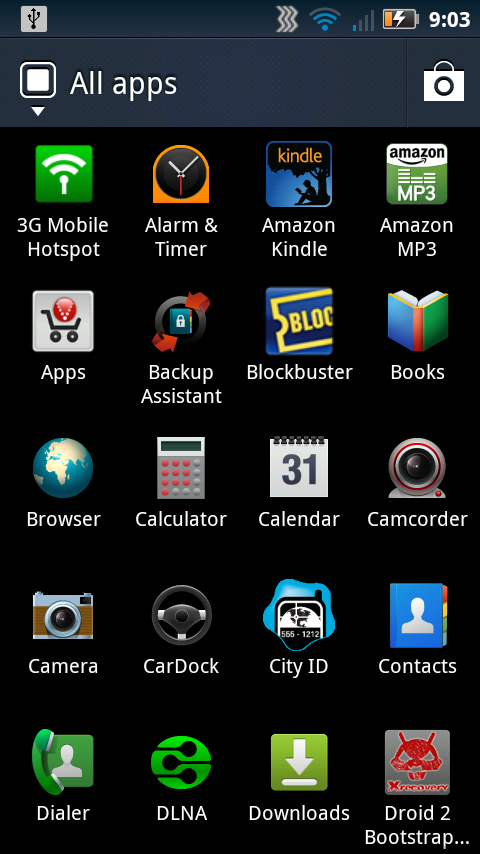
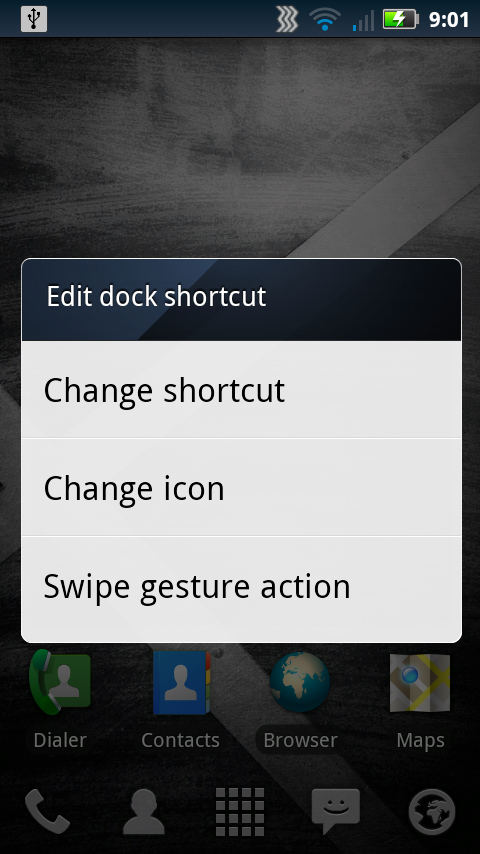
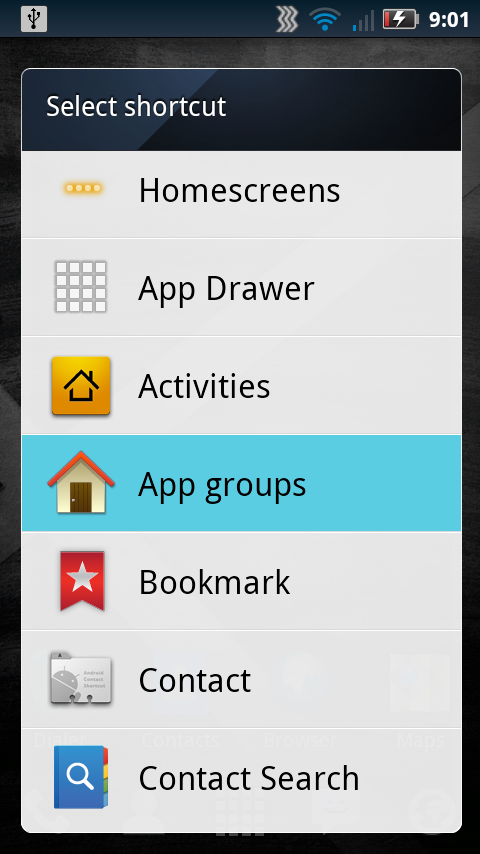
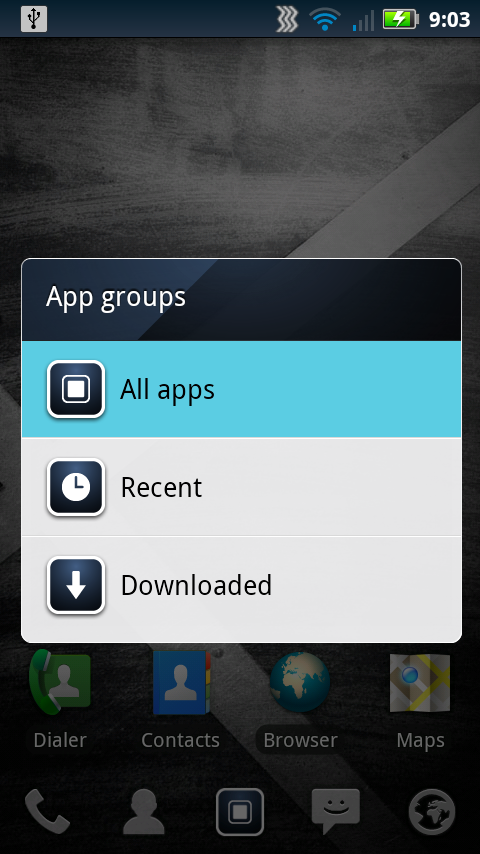
		<description><![CDATA[This works on Froyo Droid X2 as well. Great Tip. You cannot add icons to the desktop, traditionally. In Blur, you long press in the app drawer and choose, &quot;add to home screen&quot;. This force closes LP. You need to go to the home screen, long press-shortcut-application and choose what you want. Livable workaround for smooth screen transitions. :-)]]></description>
		<content:encoded><![CDATA[<p>This works on Froyo Droid X2 as well. Great Tip. You cannot add icons to the desktop, traditionally. In Blur, you long press in the app drawer and choose, &#8220;add to home screen&#8221;. This force closes LP. You need to go to the home screen, long press-shortcut-application and choose what you want. Livable workaround for smooth screen transitions. <img src='http://www.droid-life.com/wp-includes/images/smilies/icon_smile.gif' alt=':-)' class='wp-smiley' /> </p>
]]></content:encoded>
	</item>
	<item>
		<title>By: Arthur2142</title>
		<link>http://www.droid-life.com/2011/05/31/tip-use-launcherpro-and-the-new-blur-app-drawer-together-on-your-droidx/comment-page-1/#comment-328292</link>
		<dc:creator>Arthur2142</dc:creator>
		<pubDate>Wed, 01 Jun 2011 04:28:00 +0000</pubDate>
		<guid isPermaLink="false">http://www.droid-life.com/?p=35186#comment-328292</guid>
		<description><![CDATA[Downloading myself some GingerBlur goodness right now...Stock DroidX]]></description>
		<content:encoded><![CDATA[<p>Downloading myself some GingerBlur goodness right now&#8230;Stock DroidX</p>
]]></content:encoded>
	</item>
	<item>
		<title>By: B1G PUN</title>
		<link>http://www.droid-life.com/2011/05/31/tip-use-launcherpro-and-the-new-blur-app-drawer-together-on-your-droidx/comment-page-1/#comment-328288</link>
		<dc:creator>B1G PUN</dc:creator>
		<pubDate>Wed, 01 Jun 2011 04:24:00 +0000</pubDate>
		<guid isPermaLink="false">http://www.droid-life.com/?p=35186#comment-328288</guid>
		<description><![CDATA[EVERYBODY CHECK FOR UPDATES. JUTS PULLED MINE MANUALLY 12:20am EST]]></description>
		<content:encoded><![CDATA[<p>EVERYBODY CHECK FOR UPDATES. JUTS PULLED MINE MANUALLY 12:20am EST</p>
]]></content:encoded>
	</item>
</channel>
</rss>

<!-- Performance optimized by W3 Total Cache. Learn more: http://www.w3-edge.com/wordpress-plugins/

Page Caching using apc
Database Caching 10/30 queries in 0.058 seconds using apc
Object Caching 663/683 objects using apc

 Served from: www.droid-life.com @ 2013-05-24 03:41:35 by W3 Total Cache -->